
We provide NetCast Player online (apkid: com.sparklingapps.netcastapp) in order to run this application in our online Android emulator.
Description:
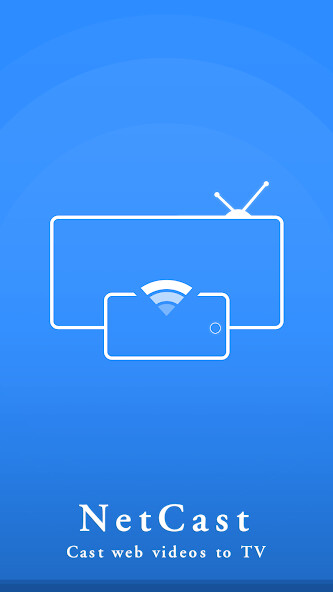
Run this app named NetCast Player using MyAndroid.
You can do it using our Android online emulator.
NetCast Player allows you to watch videos from your favourite websites on your internet connected TV.
This includes movies, TV shows, sports, IPTV and more.
NetCast Player supports the most popular streaming devices, allowing your TV to stream videos directly from the web.
Supported Devices:
Chromecast
Smart TVs: Samsung, LG, Sony, Hisense, Xiaomi, Panasonic, etc.
Xbox
Amazon Fire TV, Fire Stick
Apple TV and Airplay
Roku, Roku Stick and Roku TVs
Kodi
Other DLNA devices
*If you experience compatibility issues, contact us and include the brand and model number.
Requirements & info:
Streaming to TV from your phone is very dependent on the Wi-Fi network and streaming device
Please make sure that your phone and streaming device are connected on the same Wi-Fi network
The Video format must be supported by the streaming device
In some cases you may need to restart your TV or router
How to use:
1.
Use the in-app browser to find an online video
2.
Ensure your phone and streaming device are connected to the same Wi-Fi
3.
Connect to your streaming device
4.
Play the video.
NetCast will cast the Video and and you can subsequently control it remotely with your phone.
For more info and support, please write to us at [email protected]
This includes movies, TV shows, sports, IPTV and more.
NetCast Player supports the most popular streaming devices, allowing your TV to stream videos directly from the web.
Supported Devices:
Chromecast
Smart TVs: Samsung, LG, Sony, Hisense, Xiaomi, Panasonic, etc.
Xbox
Amazon Fire TV, Fire Stick
Apple TV and Airplay
Roku, Roku Stick and Roku TVs
Kodi
Other DLNA devices
*If you experience compatibility issues, contact us and include the brand and model number.
Requirements & info:
Streaming to TV from your phone is very dependent on the Wi-Fi network and streaming device
Please make sure that your phone and streaming device are connected on the same Wi-Fi network
The Video format must be supported by the streaming device
In some cases you may need to restart your TV or router
How to use:
1.
Use the in-app browser to find an online video
2.
Ensure your phone and streaming device are connected to the same Wi-Fi
3.
Connect to your streaming device
4.
Play the video.
NetCast will cast the Video and and you can subsequently control it remotely with your phone.
For more info and support, please write to us at [email protected]
MyAndroid is not a downloader online for NetCast Player. It only allows to test online NetCast Player with apkid com.sparklingapps.netcastapp. MyAndroid provides the official Google Play Store to run NetCast Player online.
