

We provide Capture: Screen Recording online (apkid: com.smartstudio.recordscreen) in order to run this application in our online Android emulator.
Description:
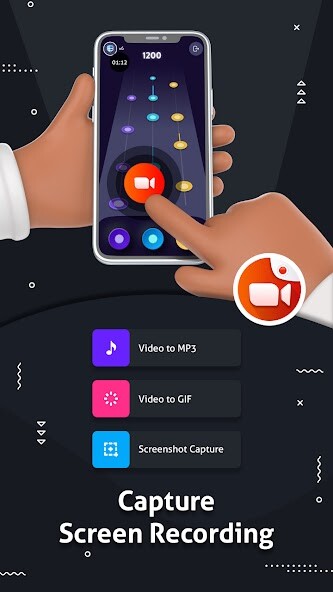
Run this app named Capture: Screen Recording using MyAndroid.
You can do it using our Android online emulator.
No limits on Screen Recording
You can record unlimited duration with this Capture: Screen Recorder.
You can record it as long as you want.
There is a count down timer before starting the record screen and taking screenshots.
Screen Recording using Facecam
You can record a screen with a front/back camera for recording games, business meetings, group calls etc.
Video Compressor Feature
Compress the recorded Video by the specified quality.
You can select these (240p, 360p, 480p, 540p, 720p, 1080p) various Video quality.
Easy to share on social platforms.
Video Editor Features
Edit your resulting Video with trim function.
Apply quality filters on video, Change Video Speed as well.
Video to GIF
Create GIF from recorded video, save and share it.
You can create GIF of a maximum 20 sec of your video.
Video to Mp3
Get mp3 sound from your screen recording Video and save it to external storage.
Play and share to all social media platforms.
Take Screenshot
Tack Screenshots from the service notification button.
Crop and Edit screenshot.
Save to external storage.
Share screenshots images across all social media platforms.
You can record unlimited duration with this Capture: Screen Recorder.
You can record it as long as you want.
There is a count down timer before starting the record screen and taking screenshots.
Screen Recording using Facecam
You can record a screen with a front/back camera for recording games, business meetings, group calls etc.
Video Compressor Feature
Compress the recorded Video by the specified quality.
You can select these (240p, 360p, 480p, 540p, 720p, 1080p) various Video quality.
Easy to share on social platforms.
Video Editor Features
Edit your resulting Video with trim function.
Apply quality filters on video, Change Video Speed as well.
Video to GIF
Create GIF from recorded video, save and share it.
You can create GIF of a maximum 20 sec of your video.
Video to Mp3
Get mp3 sound from your screen recording Video and save it to external storage.
Play and share to all social media platforms.
Take Screenshot
Tack Screenshots from the service notification button.
Crop and Edit screenshot.
Save to external storage.
Share screenshots images across all social media platforms.
MyAndroid is not a downloader online for Capture: Screen Recording. It only allows to test online Capture: Screen Recording with apkid com.smartstudio.recordscreen. MyAndroid provides the official Google Play Store to run Capture: Screen Recording online.
