
We provide Singtel TV GO online (apkid: com.singtel.miotvgo) in order to run this application in our online Android emulator.
Description:
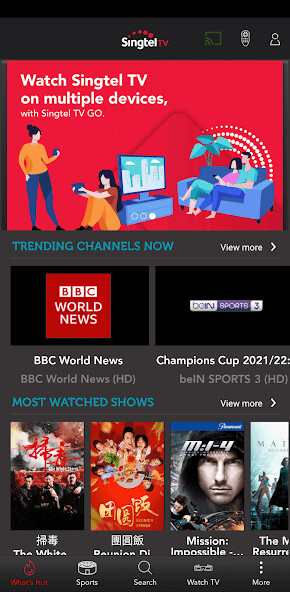
Run this app named Singtel TV GO using MyAndroid.
You can do it using our Android online emulator.
The perfect companion app for Singtel TV subscribers.
Singtel TV GO brings the rich Singtel TV experience to your mobile and tablet devices, you can enjoy wherever you go! Over 150 channels are available!
Singtel TV GO is compatible with Chromecast and AirPlay.
With this, users can enjoy live channels on more than one TV screen at home without having to connect to additional set-top box!
Singtel TV GO can be launched straight from Android TVs and Android TV boxes too!
Features:
1.Watch TV to catch live channels, including Premiere League on your personal devices
On-The-Go mode: Over 80 live channels available
Home View mode: Over 120 live channels and stream concurrently on up to 3 devices.
(Available when connected via your subscribed Singtel Fibre Broadband)
2.Catch-Up and watch content at your convenience anytime, anywhere.
On-The-Go mode: Over 20 on-demand channels available
Home View mode: Over 30 on-demand channels
(Available when connected via your subscribed Singtel Fibre Broadband)
3.Visit Sports for the latest information, fixtures, statistics, news highlights about PL and UEFA Champions League!
4.Browse live channels Guide and Set Reminder
5.Pair with the set-top box, and enable your mobile device as a remote control.
6.Schedule and record your favourite programmes onto Digital Video Recording set-top box through the Singtel TV GO app.
7.
Singtel TV GO is available on both Apple TV and Android TV.
Note:
-Channels available are in correspondence to the channels in your Singtel TV subscription.
-App on Android TV comes with Watch TV feature only.
Full features available on mobile and tablet.
-Only available in Singapore
-List of Supported Android Models are as follow: http: //www.singteltv.com.sg/_pdf/singteltvgo-devices.pdf
Singtel TV GO brings the rich Singtel TV experience to your mobile and tablet devices, you can enjoy wherever you go! Over 150 channels are available!
Singtel TV GO is compatible with Chromecast and AirPlay.
With this, users can enjoy live channels on more than one TV screen at home without having to connect to additional set-top box!
Singtel TV GO can be launched straight from Android TVs and Android TV boxes too!
Features:
1.Watch TV to catch live channels, including Premiere League on your personal devices
On-The-Go mode: Over 80 live channels available
Home View mode: Over 120 live channels and stream concurrently on up to 3 devices.
(Available when connected via your subscribed Singtel Fibre Broadband)
2.Catch-Up and watch content at your convenience anytime, anywhere.
On-The-Go mode: Over 20 on-demand channels available
Home View mode: Over 30 on-demand channels
(Available when connected via your subscribed Singtel Fibre Broadband)
3.Visit Sports for the latest information, fixtures, statistics, news highlights about PL and UEFA Champions League!
4.Browse live channels Guide and Set Reminder
5.Pair with the set-top box, and enable your mobile device as a remote control.
6.Schedule and record your favourite programmes onto Digital Video Recording set-top box through the Singtel TV GO app.
7.
Singtel TV GO is available on both Apple TV and Android TV.
Note:
-Channels available are in correspondence to the channels in your Singtel TV subscription.
-App on Android TV comes with Watch TV feature only.
Full features available on mobile and tablet.
-Only available in Singapore
-List of Supported Android Models are as follow: http: //www.singteltv.com.sg/_pdf/singteltvgo-devices.pdf
MyAndroid is not a downloader online for Singtel TV GO. It only allows to test online Singtel TV GO with apkid com.singtel.miotvgo. MyAndroid provides the official Google Play Store to run Singtel TV GO online.
