

We provide Share my Smiley online (apkid: com.sharemysmiley) in order to run this application in our online Android emulator.
Description:
Run this app named Share my Smiley using MyAndroid.
You can do it using our Android online emulator.
Share My Smiley will help you to send a ": )" message using Bluetooth technology.
You can share with the people nearby if you are in the Bluetooth range.
How to share your smiley:
1.
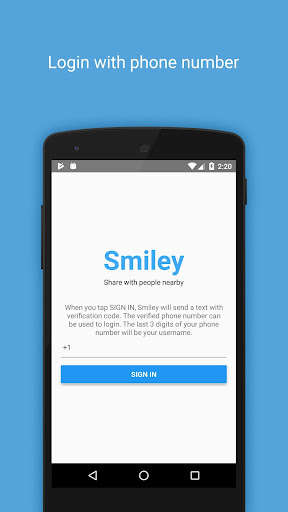
Login with phone number
2.
Get a verification code
3.
Discover users nearby
4.
Tap the "SHARE MY SMILEY" button and you will be sending your smiley message to all smiley users in bluetooth range.
5.
Users will get a push notification once your message is sent.
Happy Smiley : )
You can share with the people nearby if you are in the Bluetooth range.
How to share your smiley:
1.
Login with phone number
2.
Get a verification code
3.
Discover users nearby
4.
Tap the "SHARE MY SMILEY" button and you will be sending your smiley message to all smiley users in bluetooth range.
5.
Users will get a push notification once your message is sent.
Happy Smiley : )
MyAndroid is not a downloader online for Share my Smiley. It only allows to test online Share my Smiley with apkid com.sharemysmiley. MyAndroid provides the official Google Play Store to run Share my Smiley online.
