
We provide Speech Recognition PC Keyboard online (apkid: com.seunghyun.ahnf.speechrecognitionkeyboard) in order to run this application in our online Android emulator.
Description:
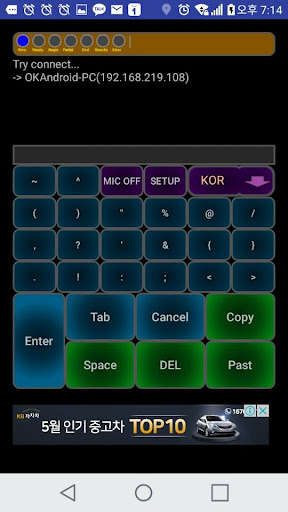
Run this app named Speech Recognition PC Keyboard using MyAndroid.
You can do it using our Android online emulator.
install
1.
Download the server from the address below and install it on your PC.
http: //blog.naver.com/shahn2001/220974891107
2.
Install the app on your Android phone.
3.
Run the downloaded server.
4.
Run the app and set the IP of the server to connect automatically.
5.
Operate the PC by voice.
Internet, Word, Excel, etc.
All the commands of the computer program are registered in the server and the PC is operated through the registered commands.
1.
Download the server from the address below and install it on your PC.
http: //blog.naver.com/shahn2001/220974891107
2.
Install the app on your Android phone.
3.
Run the downloaded server.
4.
Run the app and set the IP of the server to connect automatically.
5.
Operate the PC by voice.
Internet, Word, Excel, etc.
All the commands of the computer program are registered in the server and the PC is operated through the registered commands.
MyAndroid is not a downloader online for Speech Recognition PC Keyboard. It only allows to test online Speech Recognition PC Keyboard with apkid com.seunghyun.ahnf.speechrecognitionkeyboard. MyAndroid provides the official Google Play Store to run Speech Recognition PC Keyboard online.
