
We provide All Photo Frame Editor online (apkid: com.securesmarter.photoframe.editor.1000plus) in order to run this application in our online Android emulator.
Description:
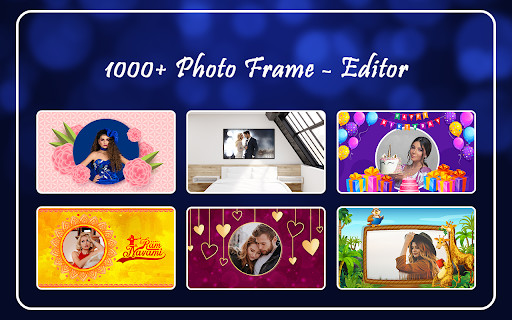
Run this app named All Photo Frame Editor using MyAndroid.
You can do it using our Android online emulator.
1000+ Photo Frame Editor
Step : 1
Choose Frame
choose one of our beautiful frames if you need a final touch to your favorite picture.
-: - Colours
-: - Portrait Frames
-: - Square Frames
-: - Landscape Frames
(1) Birthday
(2) Anniversary
(3) Bedroom
(4) Wild Animal
(5) Love
(6) Garden
(7) Festival
Step : 2
: _1_: Add Image
: _2_: Edit
: : - Scale
Resize a photo or image with this app in seconds.
: : - Rotate
Flip multiple images , Batch image flipping -PRO Feature
: : - Opacity
Can customize color, size, control opacity, create shadow of text arbitrarily.
: : - Brightness
Can automatically set default brightness settings in Android to the minimum
: : - Contrast
Contrast is a puzzle/platform game where you can move between a fantastic 3D world and a
mysterious shadowy universe in 2D in the blink of an eye
: : - Saturation
Color Calibrator can be used to reduce eye strain, by adjusting the screen colors to natural.
It can filter out the intense colors produced by your phone.
: : - Colorize
Color Calibrator can be used to reduce eye strain, by adjusting the screen colors to natural.
It can filter out the intense colors produced by your phone.
: : - Blur
Motion blur, Box blur, Zoom blur, Gaussian blur, Bilateral blur, Mosaic blur!
: : - Sharpen
Sharpen Image easilly enhances the sharpness of your gallery or camera photos.
The sharpness is based on "unsharp mask" image processing technique.
: : - Flip Horizontal
You can flip image Vertically and Horizontally
: : - Flip Vertical
You can flip image Vertically and Horizontally
: _3_: Text
: : - Edit Text
Add multiple texts (and overlays) on photo, edit each one without losing final preview
: : - Text Colour
Highlight the whole text or separate parts with different colors & opacity
: : - Font Size
\tFont and Format tools: change font, alignment, text size, with bold, italic, underlined &
strikethrough options
: : - Font Rotate
3D text tools: 3D Rotate, 3D Depth, Perspective
: : - Opacity
Highlight the whole text or separate parts with different colors & opacity
: : - Text Modify
Text Modify and Texture by adding any photo and make any type of transformation with it
: : - Line Space
Letter & Line spacing
: : - Font Wrap
Move, scale, rotate, edit, copy, delete (for overlays) and wrap the text by text-box handles
: : - Stroke
Add Stroke (Outline) to text with colors and stroke width
: : - Glow
Glow with colors, opacity, blur and positioning
: _4_: Graphic
: : - Clear
: : - Shapes
: : - Fix Layer
: _5_: Draw
: : - Pen
: : - Erase
: : - Clear
: _6_: Frame
: : - All Categories
: _7_: Blur
: : - Photo Frame Blur
Apply different blur effects like lens blur, bokeh blur and use mask to selectively blur background.
: _8_: Filter
: : - Use manual correction tools to highlight, fix or improve any part or object on your
photo.
Use mask correction tool to apply filters, effects or tune your photo selectively.
: _9_: Sticker
: : - New Year
: : - Love
: : - Nature
: : -Birthday
: : - Animal
: : - Quotes
: _10_: Eraser
: : - Eraser
Step : 1
Choose Frame
choose one of our beautiful frames if you need a final touch to your favorite picture.
-: - Colours
-: - Portrait Frames
-: - Square Frames
-: - Landscape Frames
(1) Birthday
(2) Anniversary
(3) Bedroom
(4) Wild Animal
(5) Love
(6) Garden
(7) Festival
Step : 2
: _1_: Add Image
: _2_: Edit
: : - Scale
Resize a photo or image with this app in seconds.
: : - Rotate
Flip multiple images , Batch image flipping -PRO Feature
: : - Opacity
Can customize color, size, control opacity, create shadow of text arbitrarily.
: : - Brightness
Can automatically set default brightness settings in Android to the minimum
: : - Contrast
Contrast is a puzzle/platform game where you can move between a fantastic 3D world and a
mysterious shadowy universe in 2D in the blink of an eye
: : - Saturation
Color Calibrator can be used to reduce eye strain, by adjusting the screen colors to natural.
It can filter out the intense colors produced by your phone.
: : - Colorize
Color Calibrator can be used to reduce eye strain, by adjusting the screen colors to natural.
It can filter out the intense colors produced by your phone.
: : - Blur
Motion blur, Box blur, Zoom blur, Gaussian blur, Bilateral blur, Mosaic blur!
: : - Sharpen
Sharpen Image easilly enhances the sharpness of your gallery or camera photos.
The sharpness is based on "unsharp mask" image processing technique.
: : - Flip Horizontal
You can flip image Vertically and Horizontally
: : - Flip Vertical
You can flip image Vertically and Horizontally
: _3_: Text
: : - Edit Text
Add multiple texts (and overlays) on photo, edit each one without losing final preview
: : - Text Colour
Highlight the whole text or separate parts with different colors & opacity
: : - Font Size
\tFont and Format tools: change font, alignment, text size, with bold, italic, underlined &
strikethrough options
: : - Font Rotate
3D text tools: 3D Rotate, 3D Depth, Perspective
: : - Opacity
Highlight the whole text or separate parts with different colors & opacity
: : - Text Modify
Text Modify and Texture by adding any photo and make any type of transformation with it
: : - Line Space
Letter & Line spacing
: : - Font Wrap
Move, scale, rotate, edit, copy, delete (for overlays) and wrap the text by text-box handles
: : - Stroke
Add Stroke (Outline) to text with colors and stroke width
: : - Glow
Glow with colors, opacity, blur and positioning
: _4_: Graphic
: : - Clear
: : - Shapes
: : - Fix Layer
: _5_: Draw
: : - Pen
: : - Erase
: : - Clear
: _6_: Frame
: : - All Categories
: _7_: Blur
: : - Photo Frame Blur
Apply different blur effects like lens blur, bokeh blur and use mask to selectively blur background.
: _8_: Filter
: : - Use manual correction tools to highlight, fix or improve any part or object on your
photo.
Use mask correction tool to apply filters, effects or tune your photo selectively.
: _9_: Sticker
: : - New Year
: : - Love
: : - Nature
: : -Birthday
: : - Animal
: : - Quotes
: _10_: Eraser
: : - Eraser
MyAndroid is not a downloader online for All Photo Frame Editor. It only allows to test online All Photo Frame Editor with apkid com.securesmarter.photoframe.editor.1000plus. MyAndroid provides the official Google Play Store to run All Photo Frame Editor online.
