

We provide School Book online (apkid: com.school.management.school) in order to run this application in our online Android emulator.
Description:
Run this app named School Book using MyAndroid.
You can do it using our Android online emulator.
School Book android App is designed for Parents, Admin, Staff, & Teachers of the school as well as for School-Parent communication and Parent-Teacher communication.
This app is directly integrated with our school ERP management software.
Using this app.
owners can manage day-to-day activities, admin and staff can add pdf or doc file format for homework, study material and syllabus, teachers can save their valuable time & parents can better engage with their Childs Learning by monitoring daily homeworks, performance score card & attendance.
It is the most powerful & easy to use software app in early education.
As a School Owner (or Head), you can easily customized staff permissions & grant/restrict access to any Teacher/Staff for any feature or program based on your need.
It can be changed any time.
Here admin can click photos, record Video and then tag students with one click to share these happy moments with parents.
Parents will get an instant notifications as soon you send an update.
This app offers:
1.
Attendance
2.
Daily homeworks
3.
Online fee payments
4.
Fee payment details
5.
Report card
6.
Notifications
7.
Bus Tracking
8.
Events & News
9.
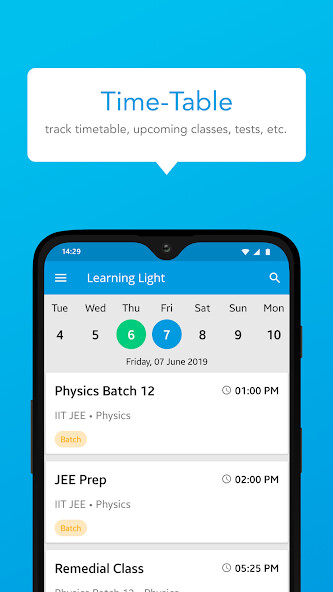
Time-Table
10.
Gallery
11.
Online Classes
12.
Chat/Instant communication with teachers
Note: Your Data is safe with us: We understand the importance of Privacy and Security that your precious data needs.
We store everything related to children, staff and parents in secure Cloud storage.
Login information is safely secured with Encryption
If you have any feedback, questions, or concerns, please email us at '[email protected]'.
We are here to help!
FAQs/Queries:
If you are not able to download the app, Please try below settings
Clear the cache & data of the Play Store
This gives the app a fresh start and can help fix issues.
1.
Open your device's Settings app .
2.
Tap Apps & notifications > See all apps.
3.
Scroll down and tap Google Play Store .
4.
Tap Storage > Clear Cache.
5.
Next, tap Clear data.
6.
Re-open the Play Store & try your download again.
What's new
We update the School Book app as often as possible to make it more user friendly, useful and faster for you.
Here are the enhancements you'll find in the latest update.
- UI/UX Improvements.
- Enhancements & Bug Fixes.
Loved School Book app? Rate us! We would love to take your feedback.
This app is directly integrated with our school ERP management software.
Using this app.
owners can manage day-to-day activities, admin and staff can add pdf or doc file format for homework, study material and syllabus, teachers can save their valuable time & parents can better engage with their Childs Learning by monitoring daily homeworks, performance score card & attendance.
It is the most powerful & easy to use software app in early education.
As a School Owner (or Head), you can easily customized staff permissions & grant/restrict access to any Teacher/Staff for any feature or program based on your need.
It can be changed any time.
Here admin can click photos, record Video and then tag students with one click to share these happy moments with parents.
Parents will get an instant notifications as soon you send an update.
This app offers:
1.
Attendance
2.
Daily homeworks
3.
Online fee payments
4.
Fee payment details
5.
Report card
6.
Notifications
7.
Bus Tracking
8.
Events & News
9.
Time-Table
10.
Gallery
11.
Online Classes
12.
Chat/Instant communication with teachers
Note: Your Data is safe with us: We understand the importance of Privacy and Security that your precious data needs.
We store everything related to children, staff and parents in secure Cloud storage.
Login information is safely secured with Encryption
If you have any feedback, questions, or concerns, please email us at '[email protected]'.
We are here to help!
FAQs/Queries:
If you are not able to download the app, Please try below settings
Clear the cache & data of the Play Store
This gives the app a fresh start and can help fix issues.
1.
Open your device's Settings app .
2.
Tap Apps & notifications > See all apps.
3.
Scroll down and tap Google Play Store .
4.
Tap Storage > Clear Cache.
5.
Next, tap Clear data.
6.
Re-open the Play Store & try your download again.
What's new
We update the School Book app as often as possible to make it more user friendly, useful and faster for you.
Here are the enhancements you'll find in the latest update.
- UI/UX Improvements.
- Enhancements & Bug Fixes.
Loved School Book app? Rate us! We would love to take your feedback.
MyAndroid is not a downloader online for School Book. It only allows to test online School Book with apkid com.school.management.school. MyAndroid provides the official Google Play Store to run School Book online.
