

We provide Screen Rotation Control online (apkid: com.sarjudas.screenrotationcontrol) in order to run this application in our online Android emulator.
Description:
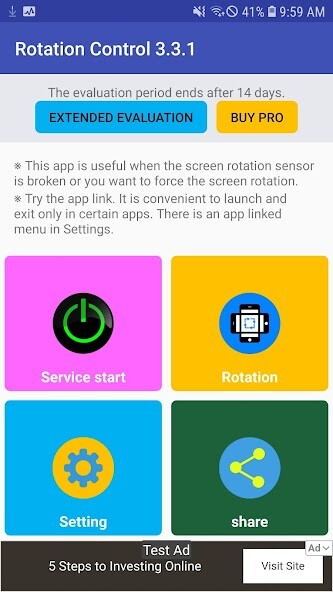
Run this app named Screen Rotation Control using MyAndroid.
You can do it using our Android online emulator.
Screen Rotation Control<> is an amazing app with various rotation modes which can be very much useful.You can easily control screen orientation from notification bar of your phone as it uses accessibility service.
The app is so sample to use just set the ON/OFF button and select rotation mode which you want to apply to your phone screen.
Following are the Screen Orientation Mode:
- Auto Rotation : the screen rotates based on a sensor.
- Portrait : the screen is in a portrait orientation.
- Portrait (Reverse) : the screen is fixed vertical in opposite direction from normal portrait
- Portrait (Sensor) : rotates automatically to a vertical orientation based on a sensor.
- Landscape : the screen is in landscape orientation.
- Landscape (Reverse) : the screen is fixed horizontal in opposite direction from normal Landscape.
- Landscape (Sensor) : rotates automatically to a horizontal orientation based on a sensor.
Depending on your device specification some of rotation mode may not respond accordingly.
The app is so sample to use just set the ON/OFF button and select rotation mode which you want to apply to your phone screen.
Following are the Screen Orientation Mode:
- Auto Rotation : the screen rotates based on a sensor.
- Portrait : the screen is in a portrait orientation.
- Portrait (Reverse) : the screen is fixed vertical in opposite direction from normal portrait
- Portrait (Sensor) : rotates automatically to a vertical orientation based on a sensor.
- Landscape : the screen is in landscape orientation.
- Landscape (Reverse) : the screen is fixed horizontal in opposite direction from normal Landscape.
- Landscape (Sensor) : rotates automatically to a horizontal orientation based on a sensor.
Depending on your device specification some of rotation mode may not respond accordingly.
MyAndroid is not a downloader online for Screen Rotation Control. It only allows to test online Screen Rotation Control with apkid com.sarjudas.screenrotationcontrol. MyAndroid provides the official Google Play Store to run Screen Rotation Control online.
