
We provide PDF to Image(png) Converter-Image Creater online (apkid: com.saappdev.pdftopng) in order to run this application in our online Android emulator.
Description:
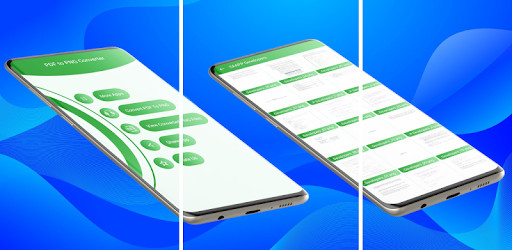
Run this app named PDF to Image(png) Converter-Image Creater using MyAndroid.
You can do it using our Android online emulator.
PNG to PNG Converter is free for everyone to convert their PDF file into PNG images.
Install the app and select file from your mobile storage that you want to convert to images.
The PDF document will then convert to PNG images within few seconds.
You can convert unlimited number of files, no queue, and no delay.
Features:
\tThe app is lightweight.
\tIt is stable.
\tEasy to use.
\tFriendly.
\tProviding many facilities.
\tNice user interface.
How to use:
\tInstall it from play store.
\tOpen it.
\tProvide permissions to access your mobile storage
\tSelect from main interface, whether you want to convert your document to images or view your converted files.
\tIf clicked Convert PDF to PNG button from main interface, select a document from list shown on the screen.
\tYou can also select document manually from your mobile storage going to the storage tab.
\tA dialog will open with two button, View and Convert to Pictures.
\tIf View is clicked, the document will show on a screen in pdf format.
\tIf Convert to Picture is clicked, the document will convert to images.
\tAll the images will be saved in a folder.
\tYou have to provide the folder name according to your document name.
\tYou can view all the picture from folder.
\tYou can also delete and share your folder on sharing media with your friends.
Enjoy the app and Convert all your documents to Images on just on click.
Install the app and select file from your mobile storage that you want to convert to images.
The PDF document will then convert to PNG images within few seconds.
You can convert unlimited number of files, no queue, and no delay.
Features:
\tThe app is lightweight.
\tIt is stable.
\tEasy to use.
\tFriendly.
\tProviding many facilities.
\tNice user interface.
How to use:
\tInstall it from play store.
\tOpen it.
\tProvide permissions to access your mobile storage
\tSelect from main interface, whether you want to convert your document to images or view your converted files.
\tIf clicked Convert PDF to PNG button from main interface, select a document from list shown on the screen.
\tYou can also select document manually from your mobile storage going to the storage tab.
\tA dialog will open with two button, View and Convert to Pictures.
\tIf View is clicked, the document will show on a screen in pdf format.
\tIf Convert to Picture is clicked, the document will convert to images.
\tAll the images will be saved in a folder.
\tYou have to provide the folder name according to your document name.
\tYou can view all the picture from folder.
\tYou can also delete and share your folder on sharing media with your friends.
Enjoy the app and Convert all your documents to Images on just on click.
MyAndroid is not a downloader online for PDF to Image(png) Converter-Image Creater. It only allows to test online PDF to Image(png) Converter-Image Creater with apkid com.saappdev.pdftopng. MyAndroid provides the official Google Play Store to run PDF to Image(png) Converter-Image Creater online.
