
We provide Smart Music Light online (apkid: com.rst.application) in order to run this application in our online Android emulator.
Description:
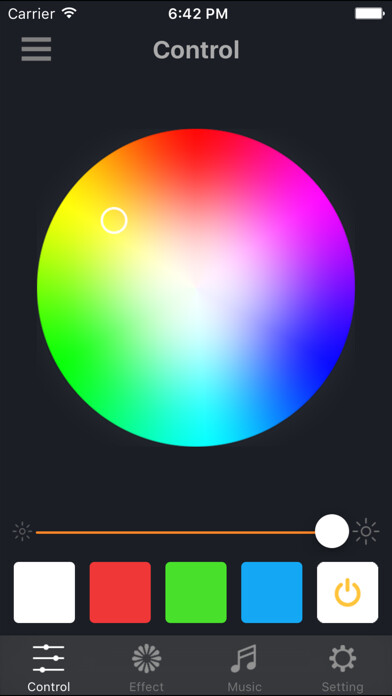
Run this app named Smart Music Light using MyAndroid.
You can do it using our Android online emulator.
Product functions:
1.
music player (music list, music play).
2.
light adjustment (brightness, color adjustment, turn on/off).
3.
sleep mode (light dimmed until being off within the setted time).
4.
Flicker (Effect of lighting flicker).
5.
Pulsation (Effect of lighting pulsation).
6.
Rainbow (Effect of rainbow).
7.
Spectrum (The light changes with music rhythm).
8.
Bougie (Effect of candle lighting).
For Android system connection:
1.Turn on power switch after installing the bulb
2.Open the App"Smart Music Light"on your device,allow to turn on Bluetooth.
3.Click the device which is on the top right corner to search and pair with "Smart Music Light"(or "Smart-Bulb2") to connect the bulb.
System version:
Above Android 4.0 version
1.
music player (music list, music play).
2.
light adjustment (brightness, color adjustment, turn on/off).
3.
sleep mode (light dimmed until being off within the setted time).
4.
Flicker (Effect of lighting flicker).
5.
Pulsation (Effect of lighting pulsation).
6.
Rainbow (Effect of rainbow).
7.
Spectrum (The light changes with music rhythm).
8.
Bougie (Effect of candle lighting).
For Android system connection:
1.Turn on power switch after installing the bulb
2.Open the App"Smart Music Light"on your device,allow to turn on Bluetooth.
3.Click the device which is on the top right corner to search and pair with "Smart Music Light"(or "Smart-Bulb2") to connect the bulb.
System version:
Above Android 4.0 version
MyAndroid is not a downloader online for Smart Music Light. It only allows to test online Smart Music Light with apkid com.rst.application. MyAndroid provides the official Google Play Store to run Smart Music Light online.
