
We provide Screen mirror to Roku online (apkid: com.roku.tv.screen.mirror.cast.app) in order to run this application in our online Android emulator.
Description:
Run this app named Screen mirror to Roku using MyAndroid.
You can do it using our Android online emulator.
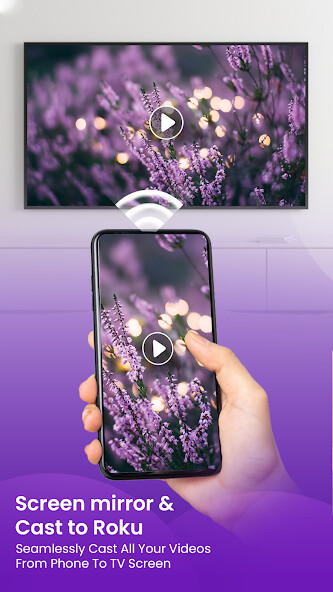
Screen Mirror To Roku app is used for screen mirroring and Video & TV casting.
Roku smart view provides you an awesome user friendly interface.
Please follow below steps to mirror your mobile screen to smart TV:
1.
Make sure your TV/Roku Devices and phone are connected to the same Wi-Fi network.
2.
Turn on Mira cast Display function on your TV/Roku Devices.
3.
Turn on Wireless Display option on your Android phone.
4.
Click Select TV button and choose your TV.
5.
Screen mirroring cast phone to TV.
6.
View your all android screen content on your tv easily.
-->Supported Devices
Roku TV,
Roku Streaming Stick,
Roku Express,
Roku Premiere,
Roku Ultra
Please make sure your roku tv firmware 5.1 or later is installed then only support screen mirroring to roku
Disclaimer: This app is not affiliated with Roku or any other trademark mentioned here.
ROKU, the ROKU Logo, STREAMING STICK, ROKU TV, ROKU POWERED, the ROKU POWERED Logo, ROKU READY, the ROKU READY Logo, "STOP DREAMING.
START STREAMING.", "HAPPY STREAMING", "THERE'S A TON OF ENTERTAINMENT IN THIS LITTLE BOX," and "NOW THIS IS TV" are trademarks and/or registered trademarks of Roku, Inc.
in the United States and other countries.
Roku smart view provides you an awesome user friendly interface.
Please follow below steps to mirror your mobile screen to smart TV:
1.
Make sure your TV/Roku Devices and phone are connected to the same Wi-Fi network.
2.
Turn on Mira cast Display function on your TV/Roku Devices.
3.
Turn on Wireless Display option on your Android phone.
4.
Click Select TV button and choose your TV.
5.
Screen mirroring cast phone to TV.
6.
View your all android screen content on your tv easily.
-->Supported Devices
Roku TV,
Roku Streaming Stick,
Roku Express,
Roku Premiere,
Roku Ultra
Please make sure your roku tv firmware 5.1 or later is installed then only support screen mirroring to roku
Disclaimer: This app is not affiliated with Roku or any other trademark mentioned here.
ROKU, the ROKU Logo, STREAMING STICK, ROKU TV, ROKU POWERED, the ROKU POWERED Logo, ROKU READY, the ROKU READY Logo, "STOP DREAMING.
START STREAMING.", "HAPPY STREAMING", "THERE'S A TON OF ENTERTAINMENT IN THIS LITTLE BOX," and "NOW THIS IS TV" are trademarks and/or registered trademarks of Roku, Inc.
in the United States and other countries.
MyAndroid is not a downloader online for Screen mirror to Roku. It only allows to test online Screen mirror to Roku with apkid com.roku.tv.screen.mirror.cast.app. MyAndroid provides the official Google Play Store to run Screen mirror to Roku online.
