
We provide Workload online (apkid: com.robsapps.taskorganiser) in order to run this application in our online Android emulator.
Description:
Run this app named Workload using MyAndroid.
You can do it using our Android online emulator.
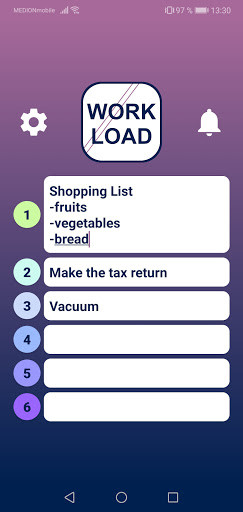
Use Workload to set yourself up to 6 tasks for the day.
This way you keep a good overview of your daily goals and you can work through the tasks optimally.
This technique increases your productivity and willingness to work because you see exactly what you have to do.
Try to summarize everything you want to accomplish in a maximum of 6 tasks so that you don't stuck in the little things and if you don't finish a task, keep it for the next day!
- Write down up to 6 tasks that you want to do.
- Bring them in the correct order by clicking on the number next to the task.
- There you can also set the task to "Completed".
- You can also set a reminder for up to 24 hours later.
This way you keep a good overview of your daily goals and you can work through the tasks optimally.
This technique increases your productivity and willingness to work because you see exactly what you have to do.
Try to summarize everything you want to accomplish in a maximum of 6 tasks so that you don't stuck in the little things and if you don't finish a task, keep it for the next day!
- Write down up to 6 tasks that you want to do.
- Bring them in the correct order by clicking on the number next to the task.
- There you can also set the task to "Completed".
- You can also set a reminder for up to 24 hours later.
MyAndroid is not a downloader online for Workload. It only allows to test online Workload with apkid com.robsapps.taskorganiser. MyAndroid provides the official Google Play Store to run Workload online.
