

We provide Robo 3D online (apkid: com.robo3d) in order to run this application in our online Android emulator.
Description:
Run this app named Robo 3D using MyAndroid.
You can do it using our Android online emulator.
Make smarter with the Robo app.
This is a 3D printing app optimized for Robo printers, but will work on other printers powered by OctoPrint.
From adding new printers to handling print jobs, weve built in the features needed for a computer-free experience.
With access to Dropbox, Google Drive, and local phone storage weve made it easy to select stored files, send them to a printer for slicing/printing, and oversee their progress.
A rich suite of controls allows for on-the-fly adjustments and monitoring.
Works with OctoPrint enabled printers compatible with OctoPrint 1.3
Connect and print right from your mobile device (Note: your printer and device must be on the same network)
Access to cloud-storage (Dropbox and Google Drive) or local files (phone or printer storage)
Manage multiple printers at once
Monitor the progress of multiple print jobs on a single dashboard
Video stream your prints on your mobile device (only available for 3D printers with on-board camera)
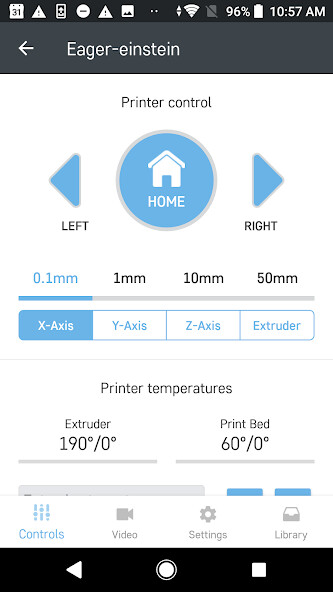
Fine tune your print settings through the manual control panel
Slice STL files into G-code files with printer's on-board slicer (powered by Cura-Engine)
Monitor OctoPrint server settings and handle printer connection
Access Robo Help Center articles to answer questions you might have about your printer
This is a 3D printing app optimized for Robo printers, but will work on other printers powered by OctoPrint.
From adding new printers to handling print jobs, weve built in the features needed for a computer-free experience.
With access to Dropbox, Google Drive, and local phone storage weve made it easy to select stored files, send them to a printer for slicing/printing, and oversee their progress.
A rich suite of controls allows for on-the-fly adjustments and monitoring.
Works with OctoPrint enabled printers compatible with OctoPrint 1.3
Connect and print right from your mobile device (Note: your printer and device must be on the same network)
Access to cloud-storage (Dropbox and Google Drive) or local files (phone or printer storage)
Manage multiple printers at once
Monitor the progress of multiple print jobs on a single dashboard
Video stream your prints on your mobile device (only available for 3D printers with on-board camera)
Fine tune your print settings through the manual control panel
Slice STL files into G-code files with printer's on-board slicer (powered by Cura-Engine)
Monitor OctoPrint server settings and handle printer connection
Access Robo Help Center articles to answer questions you might have about your printer
MyAndroid is not a downloader online for Robo 3D. It only allows to test online Robo 3D with apkid com.robo3d. MyAndroid provides the official Google Play Store to run Robo 3D online.
