

We provide Blur Image Photo Editor Effect online (apkid: com.removeblur.fromimage.backgroundremover) in order to run this application in our online Android emulator.
Description:
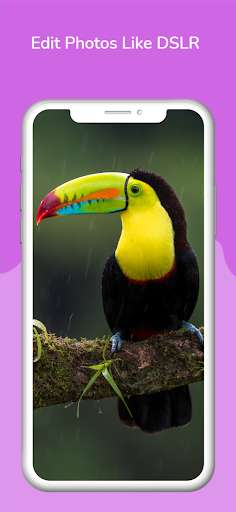
Run this app named Blur Image Photo Editor Effect using MyAndroid.
You can do it using our Android online emulator.
Blur Image DSLR Effect Photo Editor is very simple to use.
Select the picture to be blurred from the gallery or use camera and give it a blurry effect using this image editor.
Blur Photo Editor and background Remover lets you create blurry images with blurry editing image options, blurring the face, blur background or any unwanted part of your picture.
It is very fast to create pretty blur images.
Key Features of Blur Image Photo Editor Effect and Background remover:
Camera or a gallery:
Select image from gallery to apply blurry effect.
Apply DSLR camera effect on the captured photo.
Give Bokeh effect to your image from gallery or take a new photo.
Remove Background of image using Artificial Intelligence (AI) Mode that automatically removes your photo background.
Flexible brush:
Very easy and convenient Blur Image Photo Editor Effect with advanced brushes.
Using this blur image editor or blurry editor, adjust the size of the brush to blur the picture and immediately give it a blurry background.
Background remover:
The fading effect can also be reversed.
Blurred images can be reset using this blurry image application or even blur on the photo application Background remover.
Save and share photos Easily:
Get Blur Image Photo Editor Effect to create beautiful high-quality blur images and blur photos.
The blur picture can be saved in the gallery and shared on many social media platforms easily.
Select the picture to be blurred from the gallery or use camera and give it a blurry effect using this image editor.
Blur Photo Editor and background Remover lets you create blurry images with blurry editing image options, blurring the face, blur background or any unwanted part of your picture.
It is very fast to create pretty blur images.
Key Features of Blur Image Photo Editor Effect and Background remover:
Camera or a gallery:
Select image from gallery to apply blurry effect.
Apply DSLR camera effect on the captured photo.
Give Bokeh effect to your image from gallery or take a new photo.
Remove Background of image using Artificial Intelligence (AI) Mode that automatically removes your photo background.
Flexible brush:
Very easy and convenient Blur Image Photo Editor Effect with advanced brushes.
Using this blur image editor or blurry editor, adjust the size of the brush to blur the picture and immediately give it a blurry background.
Background remover:
The fading effect can also be reversed.
Blurred images can be reset using this blurry image application or even blur on the photo application Background remover.
Save and share photos Easily:
Get Blur Image Photo Editor Effect to create beautiful high-quality blur images and blur photos.
The blur picture can be saved in the gallery and shared on many social media platforms easily.
MyAndroid is not a downloader online for Blur Image Photo Editor Effect. It only allows to test online Blur Image Photo Editor Effect with apkid com.removeblur.fromimage.backgroundremover. MyAndroid provides the official Google Play Store to run Blur Image Photo Editor Effect online.
