

We provide Instant QR scanner – QR reader online (apkid: com.redcliffappsstudio.qrbarcodescanner) in order to run this application in our online Android emulator.
Description:
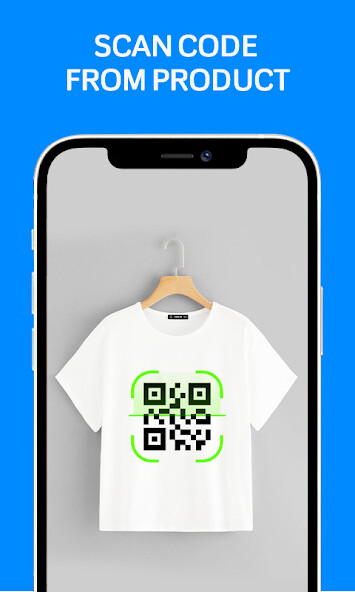
Run this app named Instant QR scanner â QR reader using MyAndroid.
You can do it using our Android online emulator.
QR & Barcode Scanner / QR code reader app is freely available on the play store.
QR code Scanner free app is easy to use QR Scanner app for all android users.
If you want to scan QR or barcode it will automatically start scanning.
No need to adjust the zoom in zoom out or take photos barcode reader works automatically.
QR code scanner and barcode scanner app is the fastest scanning app for price checking, WIFI password, and much more.
QR Code Generator is a free scanner that allows our users to scan QR-code, barcodes, Contacts which are packaged in QR codes, prices at a shopping mall, passwords of WIFI and is perfect for many other uses.
Fast QR Code Scanner can scan & create history.
All your scanned and created QR code & barcode results will be stored in the scan history.
Users can delete the results of the scan, divide the history into the created history and the scanned history, and find different results very easily.
Fast QR scanner and Barcode Reader help you create and share QR codes in various formats at any time anywhere, Contact, URL, Text, Email, SMS, Phone, WIFI, GEO, etc.
There is no limit to creating a QR code and also users can rename the QR code easily.
Features of Fast QR Scanner
QR code reader app can scan every format of QR code And Barcodes.
instant scan via camera or detect QR code from the picture gallery.
Safe and easy-to-use interface.
Fast Scanner saves Scan history also.
QR Code Scanner can scan multiple sizes of QR Codes.
Fast Scanner app can generate QR codes.
QR Generator has built-in autofocus functionality.
instant Scanner can scan QR & Barcode from files also.
No internet is Required.
Zoom in and zoom out
How to use the instant QR scanner
1.
Open the Fast QR code scanner.
2.
Point the smartphone camera to the barcode or QR code.
3.
Now the QR Reader will auto-detect, scan and decode the code.
4.
Get the best results related to the QR Barcode Scanner.
How to create QR code using Fast QR Scanner
1.
Open QR Scanner.
2.
Tap to Create QR.
3.
select the option for which you like to create a QR code.
4.
Now Enter the required data.
5.
Now Tap to Create button.
6.
Your QR code and Barcode is ready.
Download this instant QR Scanner App & QR code reader app and get all information about your product.
Thanks
QR code Scanner free app is easy to use QR Scanner app for all android users.
If you want to scan QR or barcode it will automatically start scanning.
No need to adjust the zoom in zoom out or take photos barcode reader works automatically.
QR code scanner and barcode scanner app is the fastest scanning app for price checking, WIFI password, and much more.
QR Code Generator is a free scanner that allows our users to scan QR-code, barcodes, Contacts which are packaged in QR codes, prices at a shopping mall, passwords of WIFI and is perfect for many other uses.
Fast QR Code Scanner can scan & create history.
All your scanned and created QR code & barcode results will be stored in the scan history.
Users can delete the results of the scan, divide the history into the created history and the scanned history, and find different results very easily.
Fast QR scanner and Barcode Reader help you create and share QR codes in various formats at any time anywhere, Contact, URL, Text, Email, SMS, Phone, WIFI, GEO, etc.
There is no limit to creating a QR code and also users can rename the QR code easily.
Features of Fast QR Scanner
QR code reader app can scan every format of QR code And Barcodes.
instant scan via camera or detect QR code from the picture gallery.
Safe and easy-to-use interface.
Fast Scanner saves Scan history also.
QR Code Scanner can scan multiple sizes of QR Codes.
Fast Scanner app can generate QR codes.
QR Generator has built-in autofocus functionality.
instant Scanner can scan QR & Barcode from files also.
No internet is Required.
Zoom in and zoom out
How to use the instant QR scanner
1.
Open the Fast QR code scanner.
2.
Point the smartphone camera to the barcode or QR code.
3.
Now the QR Reader will auto-detect, scan and decode the code.
4.
Get the best results related to the QR Barcode Scanner.
How to create QR code using Fast QR Scanner
1.
Open QR Scanner.
2.
Tap to Create QR.
3.
select the option for which you like to create a QR code.
4.
Now Enter the required data.
5.
Now Tap to Create button.
6.
Your QR code and Barcode is ready.
Download this instant QR Scanner App & QR code reader app and get all information about your product.
Thanks
MyAndroid is not a downloader online for Instant QR scanner – QR reader. It only allows to test online Instant QR scanner – QR reader with apkid com.redcliffappsstudio.qrbarcodescanner. MyAndroid provides the official Google Play Store to run Instant QR scanner – QR reader online.
