

We provide Screen Orientations online (apkid: com.pransuinc.screenorientation) in order to run this application in our online Android emulator.
Description:
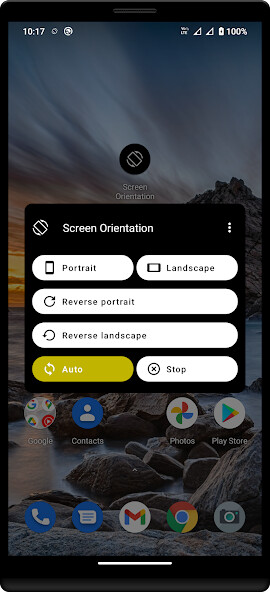
Run this app named Screen Orientations using MyAndroid.
You can do it using our Android online emulator.
You can control portrait, landscape, reverse portrait, reverse landscape, auto.
Features:
> 4 screen orientation control (Horizontal, Vertical, Reverse Horizontal, Reverse Vertical)
> Specify the auto rotation screen.
> All App (app, game) support the direction of 4 orientation.
> Specific application to force portrait / landscape view setting may not display correctly.
(Camera app etc.)
Features:
> 4 screen orientation control (Horizontal, Vertical, Reverse Horizontal, Reverse Vertical)
> Specify the auto rotation screen.
> All App (app, game) support the direction of 4 orientation.
> Specific application to force portrait / landscape view setting may not display correctly.
(Camera app etc.)
MyAndroid is not a downloader online for Screen Orientations. It only allows to test online Screen Orientations with apkid com.pransuinc.screenorientation. MyAndroid provides the official Google Play Store to run Screen Orientations online.
