
We provide MovPic Photo Motion Effects online (apkid: com.photoeditor.animationmaker) in order to run this application in our online Android emulator.
Description:
Run this app named MovPic Photo Motion Effects using MyAndroid.
You can do it using our Android online emulator.
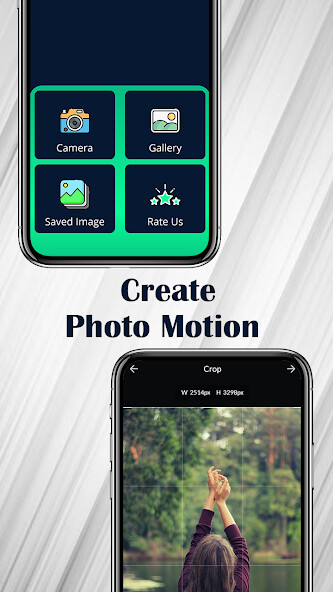
Use the MovPic: Photo Motion Effects app and give life to your motion image.You can convert your amazing moment into a cool animation photo or motion photo.
Add an incredible cinemagraph impact to your picture, simply select any region in the image and add movement and Cinemagraph impact to picture and picture.
make living photographs at this moment!
Features: -
You can make an animation image by simply using motion by drawing a path.
Create a live wallpaper of your motion photo and set it as wallpaper as you want.
You can make an animation image by simply using motion by drawing a path.Use the Bunch of filters that convert your animation photo into a cool motion picture.
You can make an animation image by simply using motion by drawing a path.You can set the resolution and speed of your animation photo after applying the various effects.
You can make an animation image by simply using motion by drawing a path.You can use the Stable or mask tool if you want that area of your motion photo to stay still as it is.
You can make an animation image by simply using motion by drawing a path.If you dont want some section in your animation image then use the mask tool to avoid it.
You can make an animation image by simply using motion by drawing a path.You can see your animation photo in the creation section after creating and adding various effects on it.
You can make an animation image by simply using motion by drawing a path.You can directly share your animation photo or live wallpaper to your friends after applying all the effects that you want.
Add an incredible cinemagraph impact to your picture, simply select any region in the image and add movement and Cinemagraph impact to picture and picture.
make living photographs at this moment!
Features: -
You can make an animation image by simply using motion by drawing a path.
Create a live wallpaper of your motion photo and set it as wallpaper as you want.
You can make an animation image by simply using motion by drawing a path.Use the Bunch of filters that convert your animation photo into a cool motion picture.
You can make an animation image by simply using motion by drawing a path.You can set the resolution and speed of your animation photo after applying the various effects.
You can make an animation image by simply using motion by drawing a path.You can use the Stable or mask tool if you want that area of your motion photo to stay still as it is.
You can make an animation image by simply using motion by drawing a path.If you dont want some section in your animation image then use the mask tool to avoid it.
You can make an animation image by simply using motion by drawing a path.You can see your animation photo in the creation section after creating and adding various effects on it.
You can make an animation image by simply using motion by drawing a path.You can directly share your animation photo or live wallpaper to your friends after applying all the effects that you want.
MyAndroid is not a downloader online for MovPic Photo Motion Effects. It only allows to test online MovPic Photo Motion Effects with apkid com.photoeditor.animationmaker. MyAndroid provides the official Google Play Store to run MovPic Photo Motion Effects online.
