

We provide Paysafecash online (apkid: com.paysafe.paysafecash) in order to run this application in our online Android emulator.
Description:
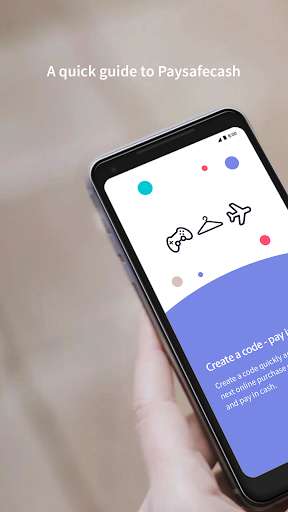
Run this app named Paysafecash using MyAndroid.
You can do it using our Android online emulator.
Paysafecash is your secure payment method on the internet.
Buy online, create the barcode and pay offline at your nearest payment point.
Shopping is more secure than ever!
Pay your bills with Paysafecash, by simply scanning the QR codes and paying at your nearest payment point.
To be found on selected bills/payment slips where you find the Paysafecash logo (this option is currently only available in selected countries).
Paying bills with the Paysafecash QR code:
1.\tScan the QR code
2.\tCheck the details
3.\tRegister or log in
4.\tThe barcode is created, to be scanned at the nearest payment point where you can pay
5.\tPayment completed
An overview of all the advantages:
Shop online without a bank account or credit card
Find a payment point near you even without an internet connection
All open transactions always to hand wherever you are
It goes even faster with the app:
1.\tBuy products.
2.\tRegister or log in
3.\tThe barcode is created
4.\tLook for a payment point and have the code scanned
5.\tPay securely and simply
NEW: Top up your Amazon gift voucher credit with Paysafecash
This feature is currently only available in selected countries.
Other countries will follow!
1.\tSelect "Pay" and then "Amazon"
2.\tLog into your Amazon account
3.\tEnter the amount
4.\tPay at the payment point
5.\tDone!
Buy online, create the barcode and pay offline at your nearest payment point.
Shopping is more secure than ever!
Pay your bills with Paysafecash, by simply scanning the QR codes and paying at your nearest payment point.
To be found on selected bills/payment slips where you find the Paysafecash logo (this option is currently only available in selected countries).
Paying bills with the Paysafecash QR code:
1.\tScan the QR code
2.\tCheck the details
3.\tRegister or log in
4.\tThe barcode is created, to be scanned at the nearest payment point where you can pay
5.\tPayment completed
An overview of all the advantages:
Shop online without a bank account or credit card
Find a payment point near you even without an internet connection
All open transactions always to hand wherever you are
It goes even faster with the app:
1.\tBuy products.
2.\tRegister or log in
3.\tThe barcode is created
4.\tLook for a payment point and have the code scanned
5.\tPay securely and simply
NEW: Top up your Amazon gift voucher credit with Paysafecash
This feature is currently only available in selected countries.
Other countries will follow!
1.\tSelect "Pay" and then "Amazon"
2.\tLog into your Amazon account
3.\tEnter the amount
4.\tPay at the payment point
5.\tDone!
MyAndroid is not a downloader online for Paysafecash. It only allows to test online Paysafecash with apkid com.paysafe.paysafecash. MyAndroid provides the official Google Play Store to run Paysafecash online.
