
We provide Parental Control - Kids Mode online (apkid: com.parental.control.kids.control) in order to run this application in our online Android emulator.
Description:
Run this app named Parental Control - Kids Mode using MyAndroid.
You can do it using our Android online emulator.
The safety and security of children is the first priority of parents.
All parents want to get there children away from inappropriate material in mobile devices.
For this purpose we introduce a new and helpful application known as parental control: Control your children mobile device.
Now you can assist and manage the applications installed of your children device.
KIDS CONTROL APP:
You can supervise and monitor your kid device to control all the social and other application by locking them from your phone and also you can have a pin on them to unlock.
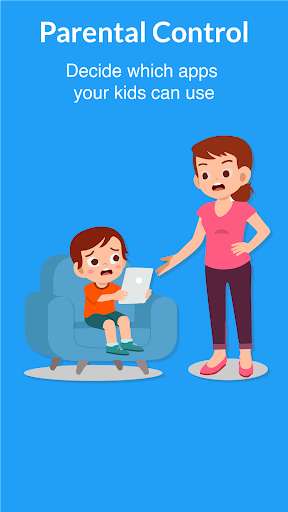
The parents can control kids device by blocking the selective apps about which they think are inappropriate for kids.
Controlling your kids Device:
You can check all the apps on their device.
Also you can set the time duration of any specific app.
You can limit up the time duration of using applications on your kids device.
You can turn off a certain app after a specific time like if you want your child to use any social media app for 30 minutes and after that the app should lock then this application let you to have a lock after a selected time.
So in order to keep you kids under control.
Safety and security:
You can manage all the apps in your kids devices and also you can control them remotely.
Your child mobile device will work according to your commands.
Parents can choose which application can use WIFI on device.
How do I Control My kid Mobile Device?
For using this application you need to read this:
\t\tYou will be shown a clear blank space with an ADD button
\t\tAfter clicking on the ADD button you can select apps for restricting them from usage.
\t\tYou will have option for turning off WIFI for apps.
\t\tYou can set a time duration for how much your kid can using an application.
\t\tYou can lock the notification panel.
\t\tYour kids cant check any notifications.
In this way you can check and monitor your kids mobile device.
Monitoring your kids is very important and also its a duty of every parent to check and control their kids device to keep them safe from every material that is not good for them.
Disclaimer:
\t\tOur application is purely accordingly to google play console privacy policies.
Please contact us if there is any kind of violation in this application and also users can give us feedback on your developers email address.
All parents want to get there children away from inappropriate material in mobile devices.
For this purpose we introduce a new and helpful application known as parental control: Control your children mobile device.
Now you can assist and manage the applications installed of your children device.
KIDS CONTROL APP:
You can supervise and monitor your kid device to control all the social and other application by locking them from your phone and also you can have a pin on them to unlock.
The parents can control kids device by blocking the selective apps about which they think are inappropriate for kids.
Controlling your kids Device:
You can check all the apps on their device.
Also you can set the time duration of any specific app.
You can limit up the time duration of using applications on your kids device.
You can turn off a certain app after a specific time like if you want your child to use any social media app for 30 minutes and after that the app should lock then this application let you to have a lock after a selected time.
So in order to keep you kids under control.
Safety and security:
You can manage all the apps in your kids devices and also you can control them remotely.
Your child mobile device will work according to your commands.
Parents can choose which application can use WIFI on device.
How do I Control My kid Mobile Device?
For using this application you need to read this:
\t\tYou will be shown a clear blank space with an ADD button
\t\tAfter clicking on the ADD button you can select apps for restricting them from usage.
\t\tYou will have option for turning off WIFI for apps.
\t\tYou can set a time duration for how much your kid can using an application.
\t\tYou can lock the notification panel.
\t\tYour kids cant check any notifications.
In this way you can check and monitor your kids mobile device.
Monitoring your kids is very important and also its a duty of every parent to check and control their kids device to keep them safe from every material that is not good for them.
Disclaimer:
\t\tOur application is purely accordingly to google play console privacy policies.
Please contact us if there is any kind of violation in this application and also users can give us feedback on your developers email address.
MyAndroid is not a downloader online for Parental Control - Kids Mode. It only allows to test online Parental Control - Kids Mode with apkid com.parental.control.kids.control. MyAndroid provides the official Google Play Store to run Parental Control - Kids Mode online.
