

We provide Sanin.lk (Medicine Order App) online (apkid: com.ozonedesk.sanin) in order to run this application in our online Android emulator.
Description:
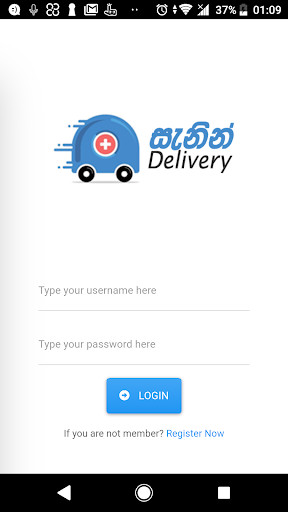
Run this app named Sanin.lk (Medicine Order App) using MyAndroid.
You can do it using our Android online emulator.
This app lets you order your medicine just by uploading the prescription using your smart phone.
Order your medicine conveniently and get it delivered to your doorstep.
App forward your prescription to 10 nearest registered pharmacies within the radius of 10KM, Once you place an order, 10 nearest pharmacies will be notified by push notification.
Pharmacies are able to accept an order by entering total bill value and instruction.
Delivery fee will be calculated as per the customer and pharmacy location and
notified to the customer against each and every offer.
All offers will be sent to the customer, and able to confirm an offer from the list.
5 Easy Steps
1.
Select your location, Upload your prescription.
2.
Send your order by entering order details and custom instruction to the pharmacy.
3.
Select best suited offer form the multiple offers you've received
4.
Confirm your order by selecting preferred delivery method;
a.
In-Store Pickup
b.
Regular Delivery (Within 24 Hours)
c.
Express Delivery (Within 3 Hours)
5.
Receive your order and Pay Cash.
New Features
Detect your location for medicine delivery.
Push notification on order acceptance.
Regularized delivery fee structure has introduced in V 3.00.
In-Store pickup and Express Delivery options are introduced.
Order your medicine conveniently and get it delivered to your doorstep.
App forward your prescription to 10 nearest registered pharmacies within the radius of 10KM, Once you place an order, 10 nearest pharmacies will be notified by push notification.
Pharmacies are able to accept an order by entering total bill value and instruction.
Delivery fee will be calculated as per the customer and pharmacy location and
notified to the customer against each and every offer.
All offers will be sent to the customer, and able to confirm an offer from the list.
5 Easy Steps
1.
Select your location, Upload your prescription.
2.
Send your order by entering order details and custom instruction to the pharmacy.
3.
Select best suited offer form the multiple offers you've received
4.
Confirm your order by selecting preferred delivery method;
a.
In-Store Pickup
b.
Regular Delivery (Within 24 Hours)
c.
Express Delivery (Within 3 Hours)
5.
Receive your order and Pay Cash.
New Features
Detect your location for medicine delivery.
Push notification on order acceptance.
Regularized delivery fee structure has introduced in V 3.00.
In-Store pickup and Express Delivery options are introduced.
MyAndroid is not a downloader online for Sanin.lk (Medicine Order App). It only allows to test online Sanin.lk (Medicine Order App) with apkid com.ozonedesk.sanin. MyAndroid provides the official Google Play Store to run Sanin.lk (Medicine Order App) online.
