
We provide Merchant QR online (apkid: com.openwaygroup.mvisa.merchant.halyk) in order to run this application in our online Android emulator.
Description:
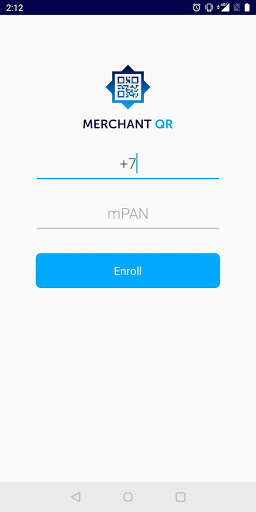
Run this app named Merchant QR using MyAndroid.
You can do it using our Android online emulator.
The Merchant QR is a mobile application by Halyk Bank intended for point of sales, that receives QR payments.
With QR code payments point of sales is able to receive cashless payments from customers in-store, on delivery or remotely through social and messenger apps.
Merchant QR features:
quick notifications after every transaction
search in transactions history
transaction properties
summaries by day
refund of payment (either full or partial)
In order to use the Merchant QR, point of sale must have the payment QR code by Halyk .
1.
Install and open the app.
2.
Enter the mobile number linked to QR code.
3.
Enter the 16-digit number printed on your QR code.
4.
Verify your number by code from SMS.
5.
Create your 5-digit code for app locking.
6.
Done! Start to work.
Payment QR codes by Halyk Bank are issued according to the EMV QRCPS standard and can be used for receiving payments from users of any application supporting this standard.
At the moment, Visa cardholders can make payments by Halyk Bank QR codes through the Homebank mobile application (Scan & Pay, yellow button).
Additional information about payment QR codes by Halyk Bank
With QR code payments point of sales is able to receive cashless payments from customers in-store, on delivery or remotely through social and messenger apps.
Merchant QR features:
quick notifications after every transaction
search in transactions history
transaction properties
summaries by day
refund of payment (either full or partial)
In order to use the Merchant QR, point of sale must have the payment QR code by Halyk .
1.
Install and open the app.
2.
Enter the mobile number linked to QR code.
3.
Enter the 16-digit number printed on your QR code.
4.
Verify your number by code from SMS.
5.
Create your 5-digit code for app locking.
6.
Done! Start to work.
Payment QR codes by Halyk Bank are issued according to the EMV QRCPS standard and can be used for receiving payments from users of any application supporting this standard.
At the moment, Visa cardholders can make payments by Halyk Bank QR codes through the Homebank mobile application (Scan & Pay, yellow button).
Additional information about payment QR codes by Halyk Bank
MyAndroid is not a downloader online for Merchant QR. It only allows to test online Merchant QR with apkid com.openwaygroup.mvisa.merchant.halyk. MyAndroid provides the official Google Play Store to run Merchant QR online.
