

We provide nAble-Health online (apkid: com.nthtechnologies.nablehealth) in order to run this application in our online Android emulator.
Description:
Run this app named nAble-Health using MyAndroid.
You can do it using our Android online emulator.
nAble Health Portal facilitates communication between patients and their doctors.
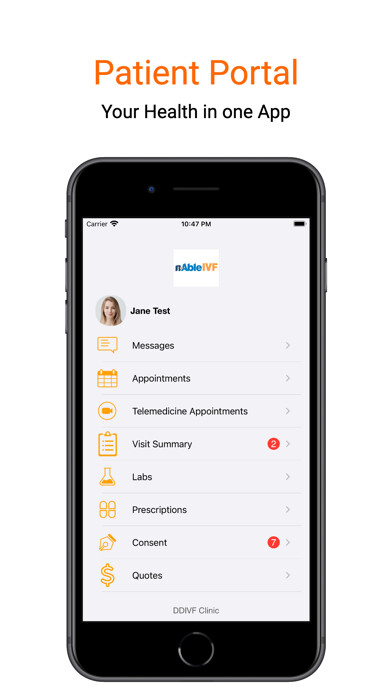
Patients can use this App to schedule appointments, view lab results, send and receive secure messages, keep a record of their vitals and visits, and update their insurance and demographic information including photos of their insurance cards and themselves.
HOW TO USE:
After downloading the App, use the Doctor search to locate your provider by clinic name or doctor name, then enter your nAble Health Portal User Name and Password to sign in.
New Users:
Patients who would like to make an appointment with an nAbleMD clinic may do so by sending a request for an appointment by either searching the physician by name or by clinic.
KEY FEATURES:
Make appointments in real time
Review lab results, vitals, and medications
View encounter summaries
Request prescription refills
Send and receive secure messages between patient and clinic staff
Upload patient photo for the clinic's record
Update insurance information, including photos of the insurance card
Update contact information
View outstanding balances
Fully integrated with nAbleMD EMR
Patients can use this App to schedule appointments, view lab results, send and receive secure messages, keep a record of their vitals and visits, and update their insurance and demographic information including photos of their insurance cards and themselves.
HOW TO USE:
After downloading the App, use the Doctor search to locate your provider by clinic name or doctor name, then enter your nAble Health Portal User Name and Password to sign in.
New Users:
Patients who would like to make an appointment with an nAbleMD clinic may do so by sending a request for an appointment by either searching the physician by name or by clinic.
KEY FEATURES:
Make appointments in real time
Review lab results, vitals, and medications
View encounter summaries
Request prescription refills
Send and receive secure messages between patient and clinic staff
Upload patient photo for the clinic's record
Update insurance information, including photos of the insurance card
Update contact information
View outstanding balances
Fully integrated with nAbleMD EMR
MyAndroid is not a downloader online for nAble-Health. It only allows to test online nAble-Health with apkid com.nthtechnologies.nablehealth. MyAndroid provides the official Google Play Store to run nAble-Health online.
