

We provide Note Tags: Keep Notes Handy online (apkid: com.nikunj.flutter.keep) in order to run this application in our online Android emulator.
Description:
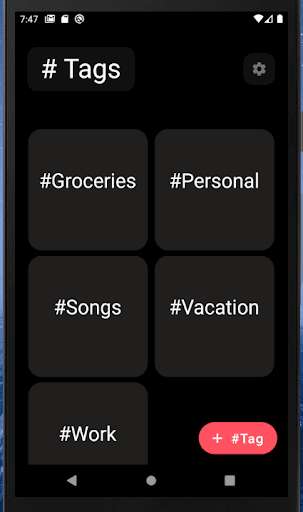
Run this app named Note Tags: Keep Notes Handy using MyAndroid.
You can do it using our Android online emulator.
#Tag Notebook for your everyday Personal and Professional Notes
Tired of all the clutter?
Want to be more focused?
Note Tags can help you achieve it.
Distraction free Notebook, to keep all your data synced up on all your devices with Fantastic new minimalist UI having Dark Mode!
How To Use:
1.
Create a Tag.
Ex: Work, Groceries, Songs, etc.
2.
Add notes inside the Tags you created
3.
Edit, delete notes and tags.
Cloud Sync:
Synced with Google Account.
Have All notes synced on All your devices.
Tired of all the clutter?
Want to be more focused?
Note Tags can help you achieve it.
Distraction free Notebook, to keep all your data synced up on all your devices with Fantastic new minimalist UI having Dark Mode!
How To Use:
1.
Create a Tag.
Ex: Work, Groceries, Songs, etc.
2.
Add notes inside the Tags you created
3.
Edit, delete notes and tags.
Cloud Sync:
Synced with Google Account.
Have All notes synced on All your devices.
MyAndroid is not a downloader online for Note Tags: Keep Notes Handy. It only allows to test online Note Tags: Keep Notes Handy with apkid com.nikunj.flutter.keep. MyAndroid provides the official Google Play Store to run Note Tags: Keep Notes Handy online.
