

We provide BICYCLE NAVITIME online (apkid: com.navitime.local.cycle) in order to run this application in our online Android emulator.
Description:
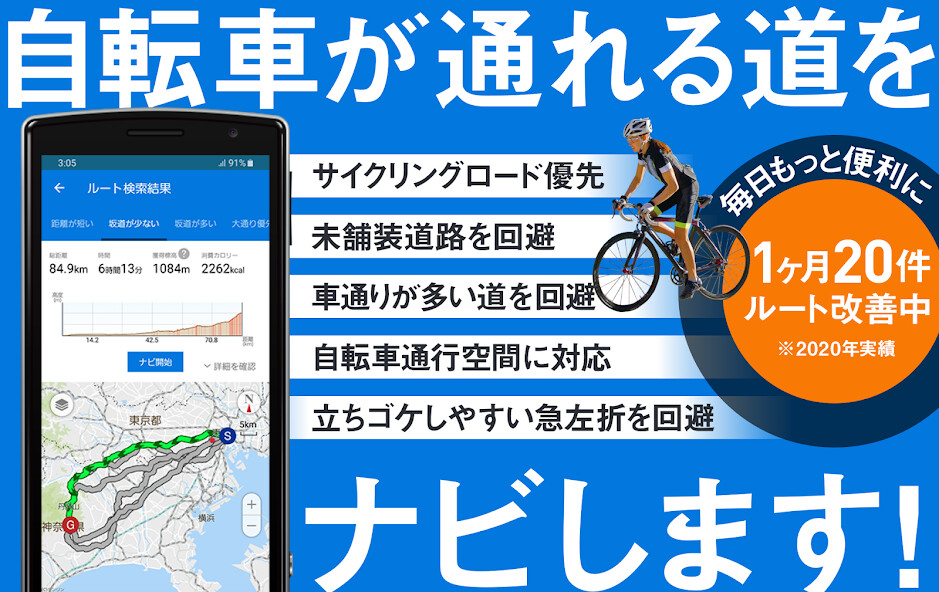
Run this app named BICYCLE NAVITIME using MyAndroid.
You can do it using our Android online emulator.
Bicycle NAVITIME is a cycling app that can be used all across Japan.
It has both English and Chinese (Traditional and Simplified) language support.
Features with multi-language support
[Spot search]
Search for spots by keywords or categories.
[Cycling station search]
Search for spots (cycling stations) where cycling racks or tire pumps are available.
Availability of cycling racks
Type of air pump installed on-site (Presta/Schrader/Dunlop valve)
Availability of tools
Availability of public restrooms
[Route search]
Free users are able to use recommended routes.
Sign up for the premium course to receive access to search for seven types of routes:
Recommended (based on distance, time, elevation, etc.)
Short distance
Few hills
Hilly
Prioritize main roads
Prioritize back roads
Prioritize cycling roads (take routes that preferentially use nearby cycling roads)
[Transit point specification] (Premium users only)
Search for routes with specified transit points.
[Voice navigation]
*Voice support only available in English.
An English voice will sound even when set to Chinese.
Free users: Available to use once per month (no distance limit)
Premium users: No restriction on distance or number of uses
[Energy-saving mode]
Navigation continues even when the screen is turned off during voice navigation.
This reduces battery consumption.
[Elevation graph]
Elevation can be seen on a graph, so users can get an idea of the highs and lows of the route.
*Voice support only available in English.
An English voice will sound even when set to Chinese.
Premium course
Fee: Monthly billing (automatic renewal) 300 (tax included)
[Payment method]
In-app Purchase
Precautions
Please ride in accordance with traffic laws at all times.
If unable to scroll the map, please check the following setting:
From the devices Settings, tap Developer Options
On the next page, set Force GPU rendering to OFF.
Confirmed functionality for the following models
Devices using Android 4.1 or higher
*Functionality is not guaranteed for WiFi-only devices, as operation may not be stable depending on the users communication environment.
*For devices not equipped with a GPS, the app will not be able to accurately locate the users position, so certain features such as the users current location map and navigation will be unavailable.
It has both English and Chinese (Traditional and Simplified) language support.
Features with multi-language support
[Spot search]
Search for spots by keywords or categories.
[Cycling station search]
Search for spots (cycling stations) where cycling racks or tire pumps are available.
Availability of cycling racks
Type of air pump installed on-site (Presta/Schrader/Dunlop valve)
Availability of tools
Availability of public restrooms
[Route search]
Free users are able to use recommended routes.
Sign up for the premium course to receive access to search for seven types of routes:
Recommended (based on distance, time, elevation, etc.)
Short distance
Few hills
Hilly
Prioritize main roads
Prioritize back roads
Prioritize cycling roads (take routes that preferentially use nearby cycling roads)
[Transit point specification] (Premium users only)
Search for routes with specified transit points.
[Voice navigation]
*Voice support only available in English.
An English voice will sound even when set to Chinese.
Free users: Available to use once per month (no distance limit)
Premium users: No restriction on distance or number of uses
[Energy-saving mode]
Navigation continues even when the screen is turned off during voice navigation.
This reduces battery consumption.
[Elevation graph]
Elevation can be seen on a graph, so users can get an idea of the highs and lows of the route.
*Voice support only available in English.
An English voice will sound even when set to Chinese.
Premium course
Fee: Monthly billing (automatic renewal) 300 (tax included)
[Payment method]
In-app Purchase
Precautions
Please ride in accordance with traffic laws at all times.
If unable to scroll the map, please check the following setting:
From the devices Settings, tap Developer Options
On the next page, set Force GPU rendering to OFF.
Confirmed functionality for the following models
Devices using Android 4.1 or higher
*Functionality is not guaranteed for WiFi-only devices, as operation may not be stable depending on the users communication environment.
*For devices not equipped with a GPS, the app will not be able to accurately locate the users position, so certain features such as the users current location map and navigation will be unavailable.
MyAndroid is not a downloader online for BICYCLE NAVITIME. It only allows to test online BICYCLE NAVITIME with apkid com.navitime.local.cycle. MyAndroid provides the official Google Play Store to run BICYCLE NAVITIME online.
