

We provide Birding Via Mic OA online (apkid: com.modelsw.birdingviamicoa) in order to run this application in our online Android emulator.
Description:
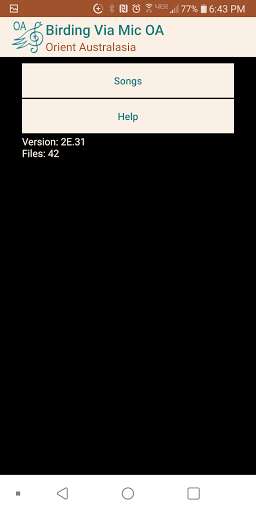
Run this app named Birding Via Mic OA using MyAndroid.
You can do it using our Android online emulator.
This app has no functionality other than to deliver Orient Australasia Songs to the app Birding Via Mic.
You can view the Names of the songs, Xeno-Canto recording number, Genus Species, Red List abbreviation, Region, Sub-Region, and Meta Data in this app.
You will need the app Birding Via Mic to play, edit, define, and identify the songs.
Start the Birding Via Mic app
Select path > Orient Australasia
Select the Option > Batch Download
Close Birding Via Mic
Start this app then select Songs.
Delete the songs you don\\'t want to transfer.
Re-start Birding Via Mic
The songs you selected will move to Birding Via Mic > Internal Songs (Android/data/com.modelsw.birdingviamic/files/Song)
The songs will be gone here.
If you restart "Birding Via Mic -- Orient Australasia" the songs will be reloaded.
(in case you regretted deleting some.)
If you don\\'t see them in Birding Via Mic the make sure you have selected the Region, and Red List they are in, and set Option > Use Location false.
When you are happy with the list, un-install this "Birding Via Mic -- Orient Australasia" app to recover memory.
You can view the Names of the songs, Xeno-Canto recording number, Genus Species, Red List abbreviation, Region, Sub-Region, and Meta Data in this app.
You will need the app Birding Via Mic to play, edit, define, and identify the songs.
Start the Birding Via Mic app
Select path > Orient Australasia
Select the Option > Batch Download
Close Birding Via Mic
Start this app then select Songs.
Delete the songs you don\\'t want to transfer.
Re-start Birding Via Mic
The songs you selected will move to Birding Via Mic > Internal Songs (Android/data/com.modelsw.birdingviamic/files/Song)
The songs will be gone here.
If you restart "Birding Via Mic -- Orient Australasia" the songs will be reloaded.
(in case you regretted deleting some.)
If you don\\'t see them in Birding Via Mic the make sure you have selected the Region, and Red List they are in, and set Option > Use Location false.
When you are happy with the list, un-install this "Birding Via Mic -- Orient Australasia" app to recover memory.
MyAndroid is not a downloader online for Birding Via Mic OA. It only allows to test online Birding Via Mic OA with apkid com.modelsw.birdingviamicoa. MyAndroid provides the official Google Play Store to run Birding Via Mic OA online.
