

We provide FlipClock online (apkid: com.mobile.flipclock) in order to run this application in our online Android emulator.
Description:
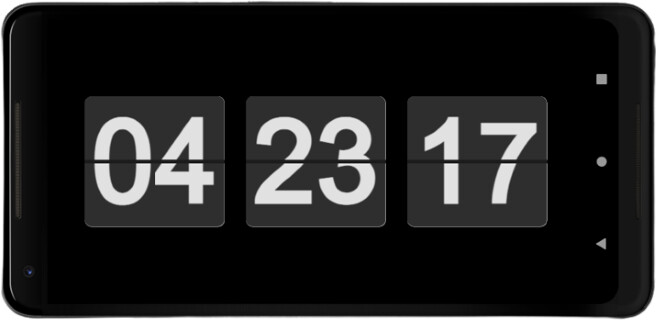
Run this app named FlipClock using MyAndroid.
You can do it using our Android online emulator.
An app that display a flip clock on your Android devices.
Highly recommend using this app on old and unused devices and requires login action to access all features (pomodoro, reminder)
How to use:
1.
Main screen:
- Tap on the flip clock to access to Pomodoro screen.
One Pomodoro lasts 40 minutes with short break between.
Long break will start until you finish certain pomodoro session.
Of course, you can modify duration on Settings screen.
- User can set simple reminders today (only work when app in foreground) by tapping on the text below the flip clock.
- All reminders and settings are automatically synced across devices
2.
Login screen:
- Login and register easily using email, Google account, phone number.
Finally, hope all of you guys love what I did and feel free to leave a comment to let me know what you think and what feature you expect.
Thank you
Highly recommend using this app on old and unused devices and requires login action to access all features (pomodoro, reminder)
How to use:
1.
Main screen:
- Tap on the flip clock to access to Pomodoro screen.
One Pomodoro lasts 40 minutes with short break between.
Long break will start until you finish certain pomodoro session.
Of course, you can modify duration on Settings screen.
- User can set simple reminders today (only work when app in foreground) by tapping on the text below the flip clock.
- All reminders and settings are automatically synced across devices
2.
Login screen:
- Login and register easily using email, Google account, phone number.
Finally, hope all of you guys love what I did and feel free to leave a comment to let me know what you think and what feature you expect.
Thank you
MyAndroid is not a downloader online for FlipClock. It only allows to test online FlipClock with apkid com.mobile.flipclock. MyAndroid provides the official Google Play Store to run FlipClock online.
