

We provide Misty App online (apkid: com.mistyrobotics.companion) in order to run this application in our online Android emulator.
Description:
Run this app named Misty App using MyAndroid.
You can do it using our Android online emulator.
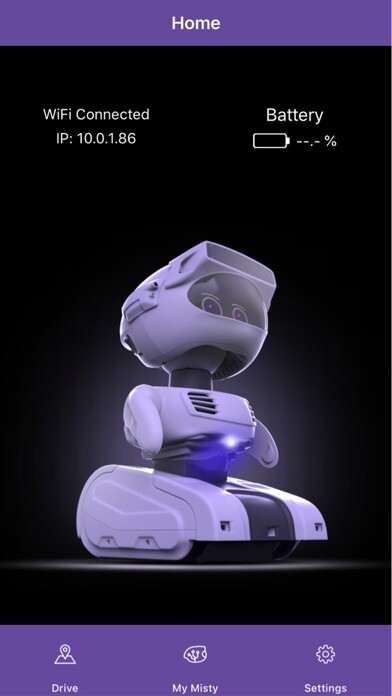
Mistys Companion App lets you set up Bluetooth and Wi-Fi connections to your robot and drive Misty around her environment.
The app also provides a clean interface for getting information about your robots battery levels, software versions, and IP address.
Features include:
- Connect with Misty
- Use your Android device to set up Bluetooth and Wi-Fi connections to your robot.
- Drive Misty by using the joystick directional controls in the app.
- Obtain Mistys IP address.
Use this address to connect Misty to the API Explorer, and to send REST commands to your robot.
- Check Mistys battery level.
- View information about the hardware and software installed on your robot.
- Update to Mistys system software.
To connect to Misty:
1.
Power up your robot.
2.
Log in to the Misty Companion App.
Make sure that Bluetooth is enabled and your device is connected to a Wi-Fi network.
3.
Connect the app to your robot via Bluetooth by following the on-screen prompts.
4.
When the Bluetooth connection is established, follow the directions on-screen to connect Misty to the same Wi-Fi network as your device.
For a detailed guide on how to use the Companion App, check out the Companion App section of Mistys documentation at docs.mistyrobotics.com.
Interested in the Misty robotics platform? Visit mistyrobotics.com to learn more!
The app also provides a clean interface for getting information about your robots battery levels, software versions, and IP address.
Features include:
- Connect with Misty
- Use your Android device to set up Bluetooth and Wi-Fi connections to your robot.
- Drive Misty by using the joystick directional controls in the app.
- Obtain Mistys IP address.
Use this address to connect Misty to the API Explorer, and to send REST commands to your robot.
- Check Mistys battery level.
- View information about the hardware and software installed on your robot.
- Update to Mistys system software.
To connect to Misty:
1.
Power up your robot.
2.
Log in to the Misty Companion App.
Make sure that Bluetooth is enabled and your device is connected to a Wi-Fi network.
3.
Connect the app to your robot via Bluetooth by following the on-screen prompts.
4.
When the Bluetooth connection is established, follow the directions on-screen to connect Misty to the same Wi-Fi network as your device.
For a detailed guide on how to use the Companion App, check out the Companion App section of Mistys documentation at docs.mistyrobotics.com.
Interested in the Misty robotics platform? Visit mistyrobotics.com to learn more!
MyAndroid is not a downloader online for Misty App. It only allows to test online Misty App with apkid com.mistyrobotics.companion. MyAndroid provides the official Google Play Store to run Misty App online.
