
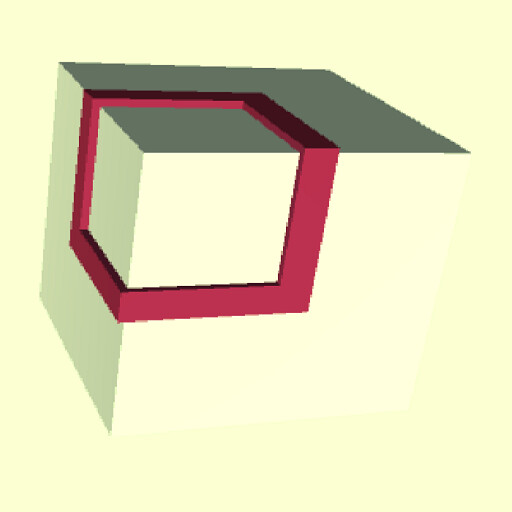
We provide Cage It! - Infinity Loop in 3D online (apkid: com.marcelopars.cageit) in order to run this application in our online Android emulator.
Description:
Run this app named Cage It! - Infinity Loop in 3D using MyAndroid.
You can do it using our Android online emulator.
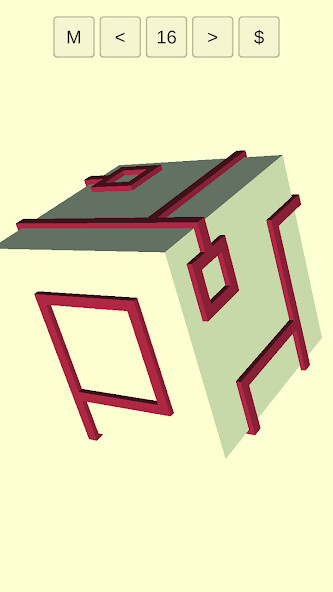
Cage It! is a puzzle game with a simple concept: Tap and turn and get rid of all loose ends.
The game is a variation on the Infinity Loop games, but with a big difference: Cage It is in 3D!
How to play Cage It! ?
Just tap on the red-brown objects to make them turn.
Turn till you have removed all loose ends.
If you want to mark an object, tap a little longer.
The object becomes black.
Is it difficult?
Gage it! starts with quite easy levels.
Very relaxing, it makes you forget everything.
But the games become more difficult furher on.
Which means, there is a level for everyone.
In fact Cage It! contains very hard levels and in order to help you, you can mark the red-brown objects by touching them a little longer than the usual tap.
The red-brown object now turns black.
Its an easy way to mark that this object is definitely in the right position.
If you tap again (long enough) the object turns red-brown again.
How many levels are there ?
We made 200 levels and you are free to scroll through every one of them.
So if one is too easy or too difficult for you, you simply skip it and go to the next one.
What does it cost ?
Cage It! is for free.
You can buy hints if you like, but it's not necessary.
Can I see which level I passed?
Yes you can.
All the levels have a game number, which you find in a button a the top of the screen.
The button turns green the moment you solved that level.
You can also use this button if you want restart that level.
Have fun!
The game is a variation on the Infinity Loop games, but with a big difference: Cage It is in 3D!
How to play Cage It! ?
Just tap on the red-brown objects to make them turn.
Turn till you have removed all loose ends.
If you want to mark an object, tap a little longer.
The object becomes black.
Is it difficult?
Gage it! starts with quite easy levels.
Very relaxing, it makes you forget everything.
But the games become more difficult furher on.
Which means, there is a level for everyone.
In fact Cage It! contains very hard levels and in order to help you, you can mark the red-brown objects by touching them a little longer than the usual tap.
The red-brown object now turns black.
Its an easy way to mark that this object is definitely in the right position.
If you tap again (long enough) the object turns red-brown again.
How many levels are there ?
We made 200 levels and you are free to scroll through every one of them.
So if one is too easy or too difficult for you, you simply skip it and go to the next one.
What does it cost ?
Cage It! is for free.
You can buy hints if you like, but it's not necessary.
Can I see which level I passed?
Yes you can.
All the levels have a game number, which you find in a button a the top of the screen.
The button turns green the moment you solved that level.
You can also use this button if you want restart that level.
Have fun!
MyAndroid is not a downloader online for Cage It! - Infinity Loop in 3D. It only allows to test online Cage It! - Infinity Loop in 3D with apkid com.marcelopars.cageit. MyAndroid provides the official Google Play Store to run Cage It! - Infinity Loop in 3D online.
