

We provide How to animate on Flipaclip online (apkid: com.manual.how.to.animate.flipaclip) in order to run this application in our online Android emulator.
Description:
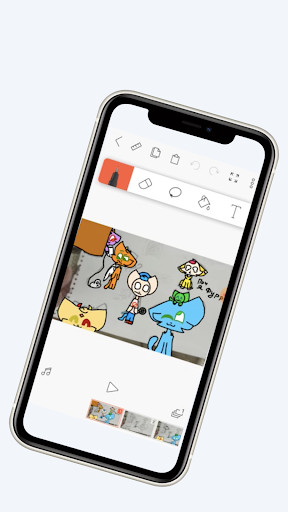
Run this app named How to animate on Flipaclip using MyAndroid.
You can do it using our Android online emulator.
The usual Video in social networks does not impress anyone anymore, but if you add an animation, it will be original.
Drawing cartoons is a nice thing to learn because then you can add them to your videos.
How To Draw Cartoon and attach to video? All very simple - try to use the program Flipaclip.
It is available on all mobile platforms, so you can create animations even on your phone! This means that you do not need to sit for years on your computer, you can do everything on your phone.
In our app we have collected information on how to use the program Flipaclip, which allows you to create both simple animations and something more serious.
This is kind of a picture to cartoon converter, it means that you can choose a picture and use the tools to make it come to life.
At the moment we have made a general description of the app, what it can do.
We have added a description of all the tools of the app, which will help you turn the picture into a cartoon.
In the future, we plan to add different examples of cartoon drawing step by step.
We will take a simple picture to create an animation from it, and describe this process.
So you can download our guide if you want to learn how to draw cartoon using flipaclip animation.
Drawing cartoons is a nice thing to learn because then you can add them to your videos.
How To Draw Cartoon and attach to video? All very simple - try to use the program Flipaclip.
It is available on all mobile platforms, so you can create animations even on your phone! This means that you do not need to sit for years on your computer, you can do everything on your phone.
In our app we have collected information on how to use the program Flipaclip, which allows you to create both simple animations and something more serious.
This is kind of a picture to cartoon converter, it means that you can choose a picture and use the tools to make it come to life.
At the moment we have made a general description of the app, what it can do.
We have added a description of all the tools of the app, which will help you turn the picture into a cartoon.
In the future, we plan to add different examples of cartoon drawing step by step.
We will take a simple picture to create an animation from it, and describe this process.
So you can download our guide if you want to learn how to draw cartoon using flipaclip animation.
MyAndroid is not a downloader online for How to animate on Flipaclip. It only allows to test online How to animate on Flipaclip with apkid com.manual.how.to.animate.flipaclip. MyAndroid provides the official Google Play Store to run How to animate on Flipaclip online.
