

We provide MAILPLUG: Mail solution online (apkid: com.mailplug.aeolos2) in order to run this application in our online Android emulator.
Description:
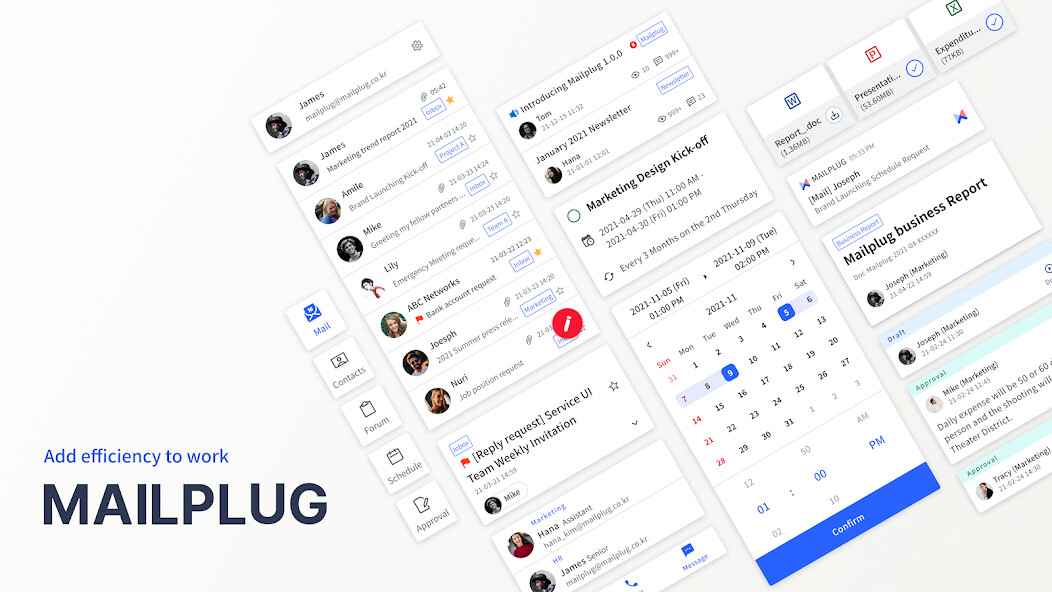
Run this app named MAILPLUG: Mail solution using MyAndroid.
You can do it using our Android online emulator.
Download MAILPLUG app and make your work easier.
Increase your work efficiency through MAILPLUG app.
We provide Mail, Contacts, Calendar, Forum and Approval to build a mobile office environment.
[Main Feature of Each Service]
Mail - Perfectly suited for work
Check your email with just a simple swipe gesture.
Find a person or a group through Hash(#) or Slash(/) search options.
Check recipients status and take email back you already sent.
Secure company information through secure mail and approval mail.
Contacts - Mobile Optimized Contacts
Check all the contacts from In-house contacts to personal/public contacts through mobile.
Quickly find your contact through Hash(#) search option.
Try to send an email, make a phone call, or send a message from our Contacts profile,
Forum - Real-time sharing information.
Check most recent information or important notice from [Recent] category.
No matter where you are, you can create, edit, or delete your post.
Leave a comment or reply to someones post.
Calendar - Basic needs for collaboration
Customize your view type between Monthly, Weekly, Daily or Lists.
Set a repetitive schedule for your regular events.
Manage your work schedule by using multiple calendars.
Approval - Fast & Easy approval process
Check documents only you need to make a decision from [Unread] category.
Make quick decision by checking approval status in a real-time.
Get notified only you needed through setting up a notification by type.
Settings - Personalized security and convenience
Lock your screen or encrypt your database to secure information.
Set up detail options for your own preference.
[Optional App Permission]
Storage : To attach or save files.
Camera : To take pictures or videos when attaching files
Address : To import mobile contacts.
You can use MAILPLUG service without allowing optional app permission.
You can deny optional app permissions in Settings.
Question?
Customer Service : https: //www.mailplug.com/mailplug/help
Bug report : Send us an email from [Setting > Information > Bug report] in app and we will help you out.
Increase your work efficiency through MAILPLUG app.
We provide Mail, Contacts, Calendar, Forum and Approval to build a mobile office environment.
[Main Feature of Each Service]
Mail - Perfectly suited for work
Check your email with just a simple swipe gesture.
Find a person or a group through Hash(#) or Slash(/) search options.
Check recipients status and take email back you already sent.
Secure company information through secure mail and approval mail.
Contacts - Mobile Optimized Contacts
Check all the contacts from In-house contacts to personal/public contacts through mobile.
Quickly find your contact through Hash(#) search option.
Try to send an email, make a phone call, or send a message from our Contacts profile,
Forum - Real-time sharing information.
Check most recent information or important notice from [Recent] category.
No matter where you are, you can create, edit, or delete your post.
Leave a comment or reply to someones post.
Calendar - Basic needs for collaboration
Customize your view type between Monthly, Weekly, Daily or Lists.
Set a repetitive schedule for your regular events.
Manage your work schedule by using multiple calendars.
Approval - Fast & Easy approval process
Check documents only you need to make a decision from [Unread] category.
Make quick decision by checking approval status in a real-time.
Get notified only you needed through setting up a notification by type.
Settings - Personalized security and convenience
Lock your screen or encrypt your database to secure information.
Set up detail options for your own preference.
[Optional App Permission]
Storage : To attach or save files.
Camera : To take pictures or videos when attaching files
Address : To import mobile contacts.
You can use MAILPLUG service without allowing optional app permission.
You can deny optional app permissions in Settings.
Question?
Customer Service : https: //www.mailplug.com/mailplug/help
Bug report : Send us an email from [Setting > Information > Bug report] in app and we will help you out.
MyAndroid is not a downloader online for MAILPLUG: Mail solution. It only allows to test online MAILPLUG: Mail solution with apkid com.mailplug.aeolos2. MyAndroid provides the official Google Play Store to run MAILPLUG: Mail solution online.
