
We provide PhilipsTV Kivy Remote online (apkid: com.macdems.philipstv) in order to run this application in our online Android emulator.
Description:
Run this app named PhilipsTV Kivy Remote using MyAndroid.
You can do it using our Android online emulator.
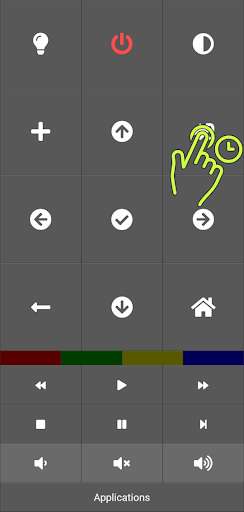
This is an application providing remote control to Philips Android TV.
Contrary to most apps in the store it has ABSOLUTELY NO ADS!
The remote does not have any keys associated with watching TV as it is intended to control smart features and watching streaming services.
If this is a problem for you, just file an issue.
Pairing your TV
To pair the TV hold the source button for 2 seconds.
The pairing window will appear and you should be able to select your TV from the list (make sure it is turned on).
If the program does not discover your TV automatically, you need to specify its IP manually.
First, open settings on your TV and select Wireless and Networks > Wired of Wi-Fi > View network settings.
Note the IP address of your TV.
Next, hold the source button for 2 seconds and click Advanced.
to open settings.
Then enter the IP of the TV in the appropriate box and click Pair button to pair the app with your TV.
Contrary to most apps in the store it has ABSOLUTELY NO ADS!
The remote does not have any keys associated with watching TV as it is intended to control smart features and watching streaming services.
If this is a problem for you, just file an issue.
Pairing your TV
To pair the TV hold the source button for 2 seconds.
The pairing window will appear and you should be able to select your TV from the list (make sure it is turned on).
If the program does not discover your TV automatically, you need to specify its IP manually.
First, open settings on your TV and select Wireless and Networks > Wired of Wi-Fi > View network settings.
Note the IP address of your TV.
Next, hold the source button for 2 seconds and click Advanced.
to open settings.
Then enter the IP of the TV in the appropriate box and click Pair button to pair the app with your TV.
MyAndroid is not a downloader online for PhilipsTV Kivy Remote. It only allows to test online PhilipsTV Kivy Remote with apkid com.macdems.philipstv. MyAndroid provides the official Google Play Store to run PhilipsTV Kivy Remote online.
