
We provide Lost Phone Tracker-Cell Finder online (apkid: com.lost.phone.master.track.lost.device.app) in order to run this application in our online Android emulator.
Description:
Run this app named Lost Phone Tracker-Cell Finder using MyAndroid.
You can do it using our Android online emulator.
the app has essential detecting features that can easily find your lost android device.
lost phone master: track lost device app contains many features like lost device locator and ring stolen android with lock lost phone feature.
this application has stunning key features that are enlisted below:
.
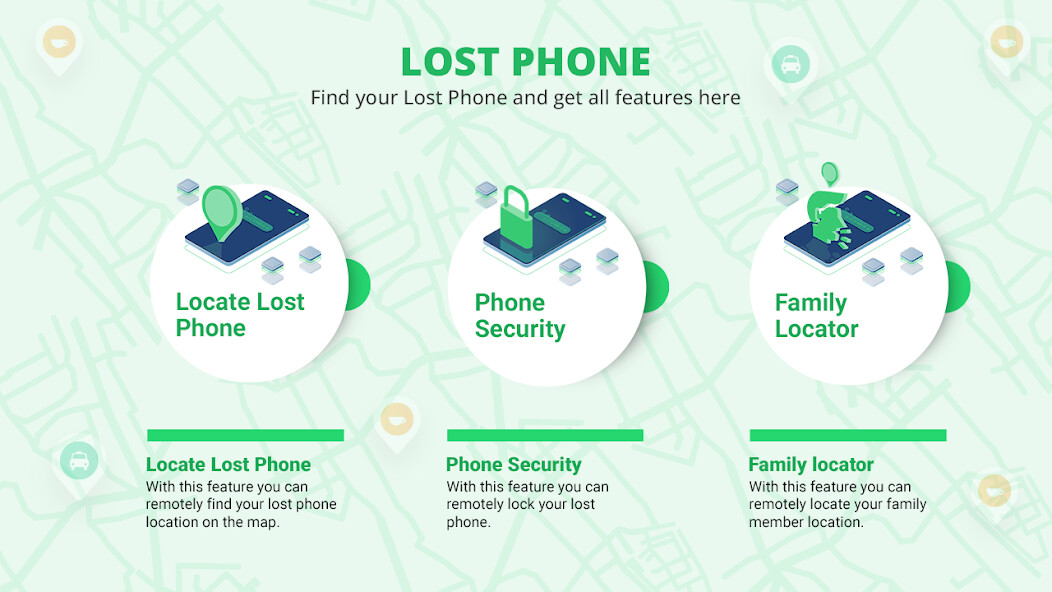
lost phone location: this feature tracks the exact location of your lost phone.
you can easily see the location of your lost phone on a map.
.
ring phone: through the ring phone feature you can remotely ring on the lost android.
.
lock phone: the locked phone feature helps to secure your lost phones data.
this feature locks the screen of your stolen device to keep the data safe from insecure hands.
.
not touch my device: activate that feature starts ringing when someone touches your android phone.
it will alert the user that someone has touched the mobile.
.
ring silent phone: this feature rings the silent lost phone.
if your stolen android device is on silent mode.
no worries, you can play ring on your silent lost device by installing the lost phone master: track lost deviceapplication.
.
last try: with this, you can easily type & send the custom text & contact number on your lost android remotely.
you can send the custom notification on more than one lost device at a time.
.
flashlight: flashlight feature is for remotely turning on/off the flashlight of your lost android device.
.
erase all data: using this feature you can remotely erase all data from your lost phone.
this feature is to keep your private data secure from insecure hands.
.
profile: in this option, you can see the user profile.
this option contains the email you are logged in with.
this app is for free that helps you to locate the location of your lost phone.
if you losted your android device in the car or somewhere in-home, through the ring phone feature of this application you can remotely play the ring on your lost phone.
this application also has a feature to play a ring on your silent lost android.
activation of this feature results in ringing your lost device no matter it is placed on silent mode.
you can also send your customized message & your contact number to your lost phone so one should return your stolen android easily.
dont worry about your private data in lost phone, you can remotely erase all data from your lost phone with a single press.
hands.
this application has a very simple & user-friendly gui to use.
how to use??
.
on opening the application help screen appears, which shows you how to use the application practically.
.
open the profile option.
press on the sign-in button & add the email account.
make sure that the email account should be the same in all android devices.
.
open the phone location option, to see the location of your lost phone on a map.
.
in ring phone option,select the device on which you want to remotely play ring.
your lost mobile will be ring.
.
in the lock phone option, select the lost android & then press lock this device.
this will lock your lost mobile screen & keeps your private data safe.
.
through ring silent phone feature you can remotely play ring on your lost android device no matters it is on silent mode, it will ring.
.
share button for sharing the application with your friends & family members.
.
give your feedback by rating our application on the play store.
permissions: - lost phone master: track lost device app requires the following permissions:
.
location access.
.
camera permission.
.
admin access.
.
overlay permission.
lost phone master: track lost device app contains many features like lost device locator and ring stolen android with lock lost phone feature.
this application has stunning key features that are enlisted below:
.
lost phone location: this feature tracks the exact location of your lost phone.
you can easily see the location of your lost phone on a map.
.
ring phone: through the ring phone feature you can remotely ring on the lost android.
.
lock phone: the locked phone feature helps to secure your lost phones data.
this feature locks the screen of your stolen device to keep the data safe from insecure hands.
.
not touch my device: activate that feature starts ringing when someone touches your android phone.
it will alert the user that someone has touched the mobile.
.
ring silent phone: this feature rings the silent lost phone.
if your stolen android device is on silent mode.
no worries, you can play ring on your silent lost device by installing the lost phone master: track lost deviceapplication.
.
last try: with this, you can easily type & send the custom text & contact number on your lost android remotely.
you can send the custom notification on more than one lost device at a time.
.
flashlight: flashlight feature is for remotely turning on/off the flashlight of your lost android device.
.
erase all data: using this feature you can remotely erase all data from your lost phone.
this feature is to keep your private data secure from insecure hands.
.
profile: in this option, you can see the user profile.
this option contains the email you are logged in with.
this app is for free that helps you to locate the location of your lost phone.
if you losted your android device in the car or somewhere in-home, through the ring phone feature of this application you can remotely play the ring on your lost phone.
this application also has a feature to play a ring on your silent lost android.
activation of this feature results in ringing your lost device no matter it is placed on silent mode.
you can also send your customized message & your contact number to your lost phone so one should return your stolen android easily.
dont worry about your private data in lost phone, you can remotely erase all data from your lost phone with a single press.
hands.
this application has a very simple & user-friendly gui to use.
how to use??
.
on opening the application help screen appears, which shows you how to use the application practically.
.
open the profile option.
press on the sign-in button & add the email account.
make sure that the email account should be the same in all android devices.
.
open the phone location option, to see the location of your lost phone on a map.
.
in ring phone option,select the device on which you want to remotely play ring.
your lost mobile will be ring.
.
in the lock phone option, select the lost android & then press lock this device.
this will lock your lost mobile screen & keeps your private data safe.
.
through ring silent phone feature you can remotely play ring on your lost android device no matters it is on silent mode, it will ring.
.
share button for sharing the application with your friends & family members.
.
give your feedback by rating our application on the play store.
permissions: - lost phone master: track lost device app requires the following permissions:
.
location access.
.
camera permission.
.
admin access.
.
overlay permission.
MyAndroid is not a downloader online for Lost Phone Tracker-Cell Finder. It only allows to test online Lost Phone Tracker-Cell Finder with apkid com.lost.phone.master.track.lost.device.app. MyAndroid provides the official Google Play Store to run Lost Phone Tracker-Cell Finder online.
