

We provide Web Translate online (apkid: com.lkr.webtranslate) in order to run this application in our online Android emulator.
Description:
Run this app named Web Translate using MyAndroid.
You can do it using our Android online emulator.
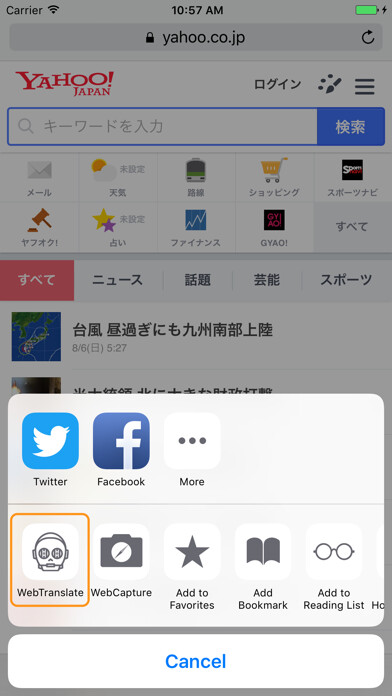
You can use the browser's "shared" to translate any mobile pages.
Features:
Support a variety of browser translations - through the Google translation engine, will be able to translate the entire page into any language.
Translate multiple languages.
Simple Application.
Should be lightweight.
How do I use web page translations?
Step 1.
Open the browser.
Step 2.
Select the page you want to translate.
Step 3.
Select "Browser Menu" -> "Share" -> "Web Translation"
Step 4.
Select the target translation language from the list, and then click Translate.
Features:
Support a variety of browser translations - through the Google translation engine, will be able to translate the entire page into any language.
Translate multiple languages.
Simple Application.
Should be lightweight.
How do I use web page translations?
Step 1.
Open the browser.
Step 2.
Select the page you want to translate.
Step 3.
Select "Browser Menu" -> "Share" -> "Web Translation"
Step 4.
Select the target translation language from the list, and then click Translate.
MyAndroid is not a downloader online for Web Translate. It only allows to test online Web Translate with apkid com.lkr.webtranslate. MyAndroid provides the official Google Play Store to run Web Translate online.
