

We provide Pluto online (apkid: com.lightverse.pluto) in order to run this application in our online Android emulator.
Description:
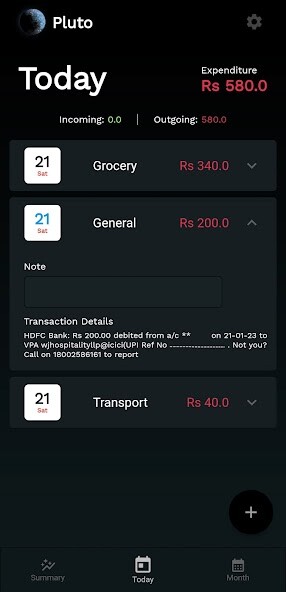
Run this app named Pluto using MyAndroid.
You can do it using our Android online emulator.
Make complex scientific ideas simple through animations and visualisations using Pluto Immersive Learning app.
The Pluto app gives you high quality immersive 3D visualisations, making teaching easier and engaging.
Free to download.
Be the first to transform your classroom by the following features:
- Explain complex scientific ideas much more easily through the use of Animation and 3D Visualisations.
- Make teaching more engaging with your students by visualising scientific concepts in high quality 3D visualisation, making it much more engaging and immersive learning experience for the students.
- Visualise the scientific concepts in Augmented Reality (AR) to have richer understanding of the concept.
- Take advantage of large visualisation catalogue to teach all the concepts in your curriculum.
- Read in-depth explanation of the concepts along with visualisation.
- Highlight individual parts of the 3D visualisation to focus on it and explain it in detail to your students.
- Get labels for individual parts in the 3D visualisation to help differentiate the different parts.
- Share visualisations with students in your classroom for their own reference.
Requirements
- The app requires internet access over a WiFi or mobile data connection.
- Augmented Reality(AR) functionality is only available on AR capable devices.
The Pluto app gives you high quality immersive 3D visualisations, making teaching easier and engaging.
Free to download.
Be the first to transform your classroom by the following features:
- Explain complex scientific ideas much more easily through the use of Animation and 3D Visualisations.
- Make teaching more engaging with your students by visualising scientific concepts in high quality 3D visualisation, making it much more engaging and immersive learning experience for the students.
- Visualise the scientific concepts in Augmented Reality (AR) to have richer understanding of the concept.
- Take advantage of large visualisation catalogue to teach all the concepts in your curriculum.
- Read in-depth explanation of the concepts along with visualisation.
- Highlight individual parts of the 3D visualisation to focus on it and explain it in detail to your students.
- Get labels for individual parts in the 3D visualisation to help differentiate the different parts.
- Share visualisations with students in your classroom for their own reference.
Requirements
- The app requires internet access over a WiFi or mobile data connection.
- Augmented Reality(AR) functionality is only available on AR capable devices.
MyAndroid is not a downloader online for Pluto. It only allows to test online Pluto with apkid com.lightverse.pluto. MyAndroid provides the official Google Play Store to run Pluto online.
