

We provide Postparty online (apkid: com.lifeonair.postparty) in order to run this application in our online Android emulator.
Description:
Run this app named Postparty using MyAndroid.
You can do it using our Android online emulator.
~ IN THE CURRENT BETA PROGRAM POSTPARTY ONLY WORKS IN CONJUNCTION WITH PLAYSTATION ~
Postparty is the simplest way to capture, store and share epic gaming moments with friends and followers.
How? Well, you know greatness when you see it, but you may not always think to save it.
Postparty will fix that.
And save your personal highlight reel in an easily accessible place.
Whether youre a pro streamer looking to quickly share a victory with your followers on social media, or a casual gamer just trying to save a memorable moment with your squad - sharing gameplay clips has never been easier.
Now when you make an awe-inspiring move during a game, Postparty wont just be there to save it for you, it will even remind you to clip your awesomeness to share with others.
After clipping it, you can use Postparty to edit the clip and then easily share it through social media (or messages or email or however you want) so you can get the recognition you deserve.
Or you can save it to share later.
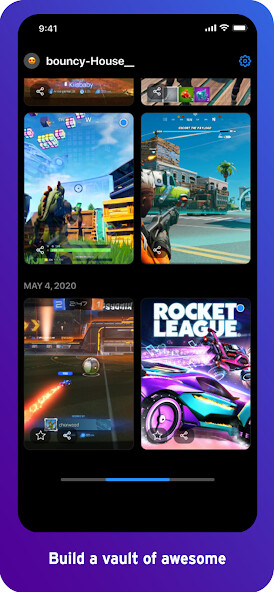
With Postparty, you can store clips so they are easily accessible when you are ready to share them or just rewatch them over and over again for your own personal enjoyment.
How does Postparty work?
1.
Login to Postparty with your Epic Games account in order to directly upload content to the Postparty app.
2.
Capture moments from your games with the click of a button on your controller.
Postparty will save, store and even organize your content in the app.
3.
When youre ready, you can easily trim your clips and share them however you like.
Postparty is the simplest way to capture, store and share epic gaming moments with friends and followers.
How? Well, you know greatness when you see it, but you may not always think to save it.
Postparty will fix that.
And save your personal highlight reel in an easily accessible place.
Whether youre a pro streamer looking to quickly share a victory with your followers on social media, or a casual gamer just trying to save a memorable moment with your squad - sharing gameplay clips has never been easier.
Now when you make an awe-inspiring move during a game, Postparty wont just be there to save it for you, it will even remind you to clip your awesomeness to share with others.
After clipping it, you can use Postparty to edit the clip and then easily share it through social media (or messages or email or however you want) so you can get the recognition you deserve.
Or you can save it to share later.
With Postparty, you can store clips so they are easily accessible when you are ready to share them or just rewatch them over and over again for your own personal enjoyment.
How does Postparty work?
1.
Login to Postparty with your Epic Games account in order to directly upload content to the Postparty app.
2.
Capture moments from your games with the click of a button on your controller.
Postparty will save, store and even organize your content in the app.
3.
When youre ready, you can easily trim your clips and share them however you like.
MyAndroid is not a downloader online for Postparty. It only allows to test online Postparty with apkid com.lifeonair.postparty. MyAndroid provides the official Google Play Store to run Postparty online.
