
We provide Lexmark Print Plugin online (apkid: com.lexmark.print.plugin) in order to run this application in our online Android emulator.
Description:
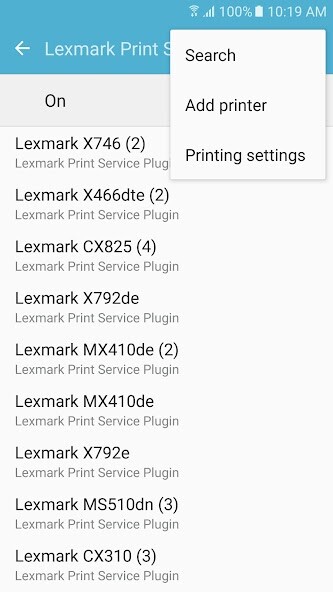
Run this app named Lexmark Print Plugin using MyAndroid.
You can do it using our Android online emulator.
The Lexmark print service plugin enables native printing from your Android device to supported Lexmark products without requiring a 3rd party app.
Documents and images can be easily printed directly to Lexmark printers on the same network as the Android Device.
Familiar printing controls such as paper size, color, orientation, and number of copies are available.
Because discovering a printer on an enterprise network can be challenging, features such as QR code scanning are provided to simplify manually adding a printer.
For enterprise scalability and security, the Lexmark print service plugin also supports printing to a Lexmark Print Management Server.
The application is available for free download from Google Play.
Minimum operating system requirements
5.1
Review the supported printer list below to see if your printer is supported by the Lexmark Print Service Plugin.
User's Guide available under:
http: //support.lexmark.com/index?segment=SUPPORT&userlocale=EN_US&locale=en&productCode=LEXMARK_MOBILE_PRINT&page=product&frompage=null#1
For more information visit http: //www.Lexmark.com/mobile.
Supported Devices
This app works with Lexmark printers and multifunction products that support IPP network printing and Direct Image printer language.
This currently includes the following devices:
https: //www.lexmark.com/en_us/products/smart-mfp/mobile/Mobile-Print-Device-Support.html
Documents and images can be easily printed directly to Lexmark printers on the same network as the Android Device.
Familiar printing controls such as paper size, color, orientation, and number of copies are available.
Because discovering a printer on an enterprise network can be challenging, features such as QR code scanning are provided to simplify manually adding a printer.
For enterprise scalability and security, the Lexmark print service plugin also supports printing to a Lexmark Print Management Server.
The application is available for free download from Google Play.
Minimum operating system requirements
5.1
Review the supported printer list below to see if your printer is supported by the Lexmark Print Service Plugin.
User's Guide available under:
http: //support.lexmark.com/index?segment=SUPPORT&userlocale=EN_US&locale=en&productCode=LEXMARK_MOBILE_PRINT&page=product&frompage=null#1
For more information visit http: //www.Lexmark.com/mobile.
Supported Devices
This app works with Lexmark printers and multifunction products that support IPP network printing and Direct Image printer language.
This currently includes the following devices:
https: //www.lexmark.com/en_us/products/smart-mfp/mobile/Mobile-Print-Device-Support.html
MyAndroid is not a downloader online for Lexmark Print Plugin. It only allows to test online Lexmark Print Plugin with apkid com.lexmark.print.plugin. MyAndroid provides the official Google Play Store to run Lexmark Print Plugin online.
