
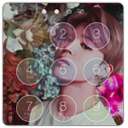
We provide Kpop HD Lock Screen online (apkid: com.kpop.lockscreen.hd) in order to run this application in our online Android emulator.
Description:

Download this app named Kpop HD Lock Screen .
Kpop HD Lock Screen is kpop,lockscreen,personalization,lock,screen, content rating is Everyone (PEGI-3).
This app is rated 5 by 2 users who are using this app.
To know more about the company/developer, visit Senpai App website who developed it.
com.kpop.lockscreen.hd.apk apps can be downloaded and installed on Android 4.0.x and higher Android devices.
The Latest Version of 1.0 Available for download.
Download the app using your favorite browser and click Install to install the application.
Please note that we provide both basic and pure APK files and faster download speeds than APK Mirror.
This app APK has been downloaded 2055+ times on store.
You can also download com.kpop.lockscreen.hd APK and run it with the popular Android Emulators.
kpop HD Lock Screen is an extremely Secure Screen Locker via pin code or password to enhance the security of your phone.
It is beautiful, secure and customizable. there are features of our lock screen application: â²Well-Designed Wallpaper Themes Wonderful wallpaper themes to redecorate your Android devices.
We provided numerous high resolution wallpaper themes, especially pic-in-pic photography idea wallpapers.
And you can switch different live wallpaper themes from setting. â²DIY lock screen editor - Custom Wallpapers: Choose an image from your own gallery of photos to create the wallpapers.
- Custom Photo Passcode: Just select the photo from album and make a personalised passcode screen. - Classic iPhone Passcode: Easy to get clean and beautiful passcode page with Lock Screen. - Hand Drawing Lock Screen: You can customize your own passcode interface. â²Easy Notification Cut down on the number of times you need to unlock your phone with notifications at a glance. What Permissions Do We Ask For and Why? -Photos/Media/Files: customize your wallpapers & shortcut to snap photos -Wi-Fi connection information: update the daily wallpapers -Phone/Location: display calls and messages on your lockscreen -----------FAQ--------- 1)How to avoid double lock screen? Go to PIP Lock Screen homepage - "Setting" - "Turn off System Lock". 2)Why System Lock always start before PIP Lock Screen when restart my device? Please turn off System Lock to avoid this problem.
Go to PIP Lock Screen homepage - "Setting" - "Turn off System Lock". 3)How many times for inputing wrong passcode?How can I unlock my device if I forgot the passcode? Connect your device to your computer using a USB cable and reinstall PIP Lock Screen to the default setting when youâve forgotten the passcode. 4)How to display notification of other apps on lock screen? Go to PIP Lock Screen homepage - Setting - Notification - App Selection - Enable the apps that you want to show notifications.
If the problem cannot be solved after the above stepsï¼please try to restart your device. All Kpop 2016 Groups Are here : f(x), 2NE1, 4Minute, After School, Brown Eyed Girls, Girls Generation, Kara, Miss A, Secret, Sistar, Tara, Wonder Girls, Super Junior, EXO-K, Big Bang, Shinee, Infinite, U-KISS, 2PM, 2AM, B.A.P, Beast, MBLAQ, B1A4, Teen Top, NUEST, TVXQ and JYJ , Block B, BtoB, A Pink, Girl's Day, VIXX, Bangtan Boys (BTS), AOA, Twice, Exid, Red Velvet, Snsd, exo keyboard theme and we will add more Korean groups. privacy-policy: kpophdlockscreen.blogspot.com
Updates:
MyAndroid is not a downloader online for Kpop HD Lock Screen . It only allows to test online Kpop HD Lock Screen with apkid com.kpop.lockscreen.hd. MyAndroid provides the official Google Play Store to run Kpop HD Lock Screen online.
