
We provide Full Bluetooth Keyboard online (apkid: com.jsands.joaosantos.fullkeyboard) in order to run this application in our online Android emulator.
Description:
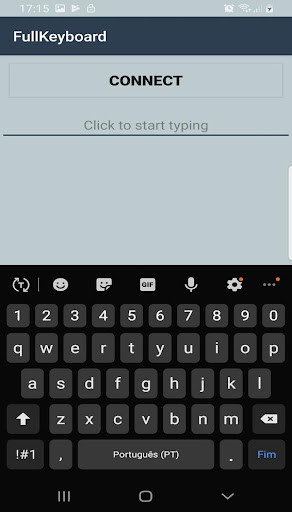
Run this app named Full Bluetooth Keyboard using MyAndroid.
You can do it using our Android online emulator.
Full Bluetooth Keyboard is designed to communicate with your Arduino or Raspberry pi project.
Full Bluetooth Keyboard is super simple to send numbers or any characters by Bluetooth HC-05 or HC-06 to your Arduino or Raspberry Pi project.
With the new version the user can choose if want scan devices or pared devices.
If you have problems with scan mode, I recommend to pair your Bluetooth device through mobile settings and then open de App.
**HOW TO USE**
- Enter the Full Bluetooth Keyboard application and click "Scan" button
Select your bluetooth device (you need to wait a few seconds)
-When the application returns to the keyboard without error message, it is ready to send data.
#include
SoftwareSerial bluetooth(6, 7); //RX TX
void setup() {
Serial.begin(57600);
bluetooth.begin(57600);
}
void loop() {
if(bluetooth.available())
Serial.write(bluetooth.read());
if(Serial.available())
bluetooth.write(Serial.read());
}
If you have any problems, you can contact me and I'll help you.
Enjoy
Full Bluetooth Keyboard is super simple to send numbers or any characters by Bluetooth HC-05 or HC-06 to your Arduino or Raspberry Pi project.
With the new version the user can choose if want scan devices or pared devices.
If you have problems with scan mode, I recommend to pair your Bluetooth device through mobile settings and then open de App.
**HOW TO USE**
- Enter the Full Bluetooth Keyboard application and click "Scan" button
Select your bluetooth device (you need to wait a few seconds)
-When the application returns to the keyboard without error message, it is ready to send data.
#include
SoftwareSerial bluetooth(6, 7); //RX TX
void setup() {
Serial.begin(57600);
bluetooth.begin(57600);
}
void loop() {
if(bluetooth.available())
Serial.write(bluetooth.read());
if(Serial.available())
bluetooth.write(Serial.read());
}
If you have any problems, you can contact me and I'll help you.
Enjoy
MyAndroid is not a downloader online for Full Bluetooth Keyboard. It only allows to test online Full Bluetooth Keyboard with apkid com.jsands.joaosantos.fullkeyboard. MyAndroid provides the official Google Play Store to run Full Bluetooth Keyboard online.
