

We provide Comprimido - Trackpad/Tablet online (apkid: com.jgroup.comprimido) in order to run this application in our online Android emulator.
Description:
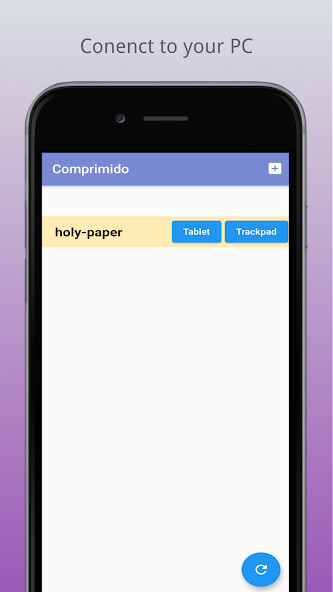
Run this app named Comprimido - Trackpad/Tablet using MyAndroid.
You can do it using our Android online emulator.
Connect you smart device with your PC/laptop through network (WIFI).
Download (https: //comprimido.jgroup.space/)
Graphic Tablet
1.
(PC) Start comprimido host software.
2.
(Android) Scan devices which already installed comprimido host software.
3.
(Android) Connect with password.
4.
(PC) Setup draw area on PC by [Ctrl] and [Alt].
Trackpad
1.
(PC) Start comprimido host software.
2.
(Android) Scan devices which already installed comprimido host software.
3.
(Android) Connect with password.
Trackpad gestures:
- Cursor move
One finger down and move
- Left click
One finger down and up
- Doube click
One finger tap twice
- Right click
Two fingers tap
- Scroll (horizontal / vertical)
Two fingers down and move
- Scroll wheel click
Three finger tap
- Show all windows
Three finger down and move to top and up
- Swap to other virtual desktop
Three finger down and move to left/right and up
Download (https: //comprimido.jgroup.space/)
Graphic Tablet
1.
(PC) Start comprimido host software.
2.
(Android) Scan devices which already installed comprimido host software.
3.
(Android) Connect with password.
4.
(PC) Setup draw area on PC by [Ctrl] and [Alt].
Trackpad
1.
(PC) Start comprimido host software.
2.
(Android) Scan devices which already installed comprimido host software.
3.
(Android) Connect with password.
Trackpad gestures:
- Cursor move
One finger down and move
- Left click
One finger down and up
- Doube click
One finger tap twice
- Right click
Two fingers tap
- Scroll (horizontal / vertical)
Two fingers down and move
- Scroll wheel click
Three finger tap
- Show all windows
Three finger down and move to top and up
- Swap to other virtual desktop
Three finger down and move to left/right and up
MyAndroid is not a downloader online for Comprimido - Trackpad/Tablet. It only allows to test online Comprimido - Trackpad/Tablet with apkid com.jgroup.comprimido. MyAndroid provides the official Google Play Store to run Comprimido - Trackpad/Tablet online.
