
We provide Anniversary Photo Frames online (apkid: com.iyogeetech.anniversaryphotoframes.happyanniversarydayphotoeditor) in order to run this application in our online Android emulator.
Description:
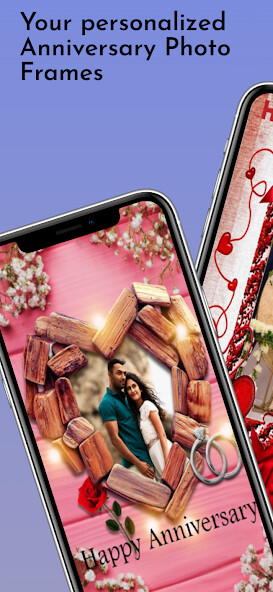
Run this app named Anniversary Photo Frames using MyAndroid.
You can do it using our Android online emulator.
Wedding Anniversary Photo Frames is specially created for weddings Anniversary.
Our app have exclusive collections of photo frames for all types of anniversary.
Anniversary Photo Frames app is for create beautiful Anniversary Photo for your loving ones using photo frames and stickers.
Anniversary Photo Frames is one of the best Photo Editor app with photo frames, stickers, multiple effects, add text on photo and many more.
This Anniversary Photo Frames app is free and easy to use, Using this app you can share Anniversary greeting cards to your friends or relatives with photos in them and this is the great way to celebrate Anniversary Day.
How to Create Anniversary Photo Using Frames:
1.
Select frames from list.
2.
Select photo from your mobile gallery or take from camera for background image.
3.
Photo can be adjusted to frames by Zoom in, zoom out and move with your fingers.
4.
Edit your photo with multiple effects
5.
Add Anniversary stickers or text on photo.
6.
Save or Share created photo in social media.
Happy Anniversary Photo Frames can be used as:
1.
Anniversary Photo Editor
2.
Anniversary Greeting Cards Maker
3.
Anniversary Quotes Wishes
Wish You a Happy Anniversary!
Our app have exclusive collections of photo frames for all types of anniversary.
Anniversary Photo Frames app is for create beautiful Anniversary Photo for your loving ones using photo frames and stickers.
Anniversary Photo Frames is one of the best Photo Editor app with photo frames, stickers, multiple effects, add text on photo and many more.
This Anniversary Photo Frames app is free and easy to use, Using this app you can share Anniversary greeting cards to your friends or relatives with photos in them and this is the great way to celebrate Anniversary Day.
How to Create Anniversary Photo Using Frames:
1.
Select frames from list.
2.
Select photo from your mobile gallery or take from camera for background image.
3.
Photo can be adjusted to frames by Zoom in, zoom out and move with your fingers.
4.
Edit your photo with multiple effects
5.
Add Anniversary stickers or text on photo.
6.
Save or Share created photo in social media.
Happy Anniversary Photo Frames can be used as:
1.
Anniversary Photo Editor
2.
Anniversary Greeting Cards Maker
3.
Anniversary Quotes Wishes
Wish You a Happy Anniversary!
MyAndroid is not a downloader online for Anniversary Photo Frames. It only allows to test online Anniversary Photo Frames with apkid com.iyogeetech.anniversaryphotoframes.happyanniversarydayphotoeditor. MyAndroid provides the official Google Play Store to run Anniversary Photo Frames online.
