
We provide Photo Blur Effects - Variety online (apkid: com.irisstudio.blureffects) in order to run this application in our online Android emulator.
Description:
Run this app named Photo Blur Effects - Variety using MyAndroid.
You can do it using our Android online emulator.
Photo Blur Effects - Variety provides multiple blur effects to create amazing Photo Focus pictures with just one touch.
TRY NOW!!!
You can use variety of blur options to get the perfect blur and create focus effect on your images:
\t- Motion Blur,
\t- Gaussian Blur,
\t- Line Blur,
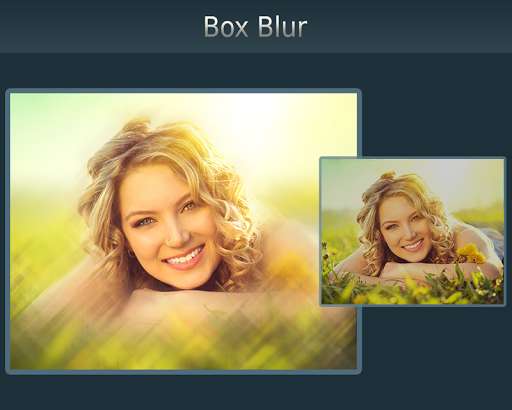
\t- Box Blur, \t
- Pixel Blur
Photo Blur Effects - Variety is very easy to use app to create perfect focus by adjusting blur effect with slide-bar.
Just select the picture from your gallery or capture from camera and apply blur effects, tap on picture to focus that area and adjust the focus area with slide-bar, you can also adjust the blur effect intensity with slide-bar.
Features:
***** Select or capture image
- Select image from gallery or capture from camera
***** Apply Blur Effect
- Apply one of the various blur effects like Motion, Gaussian, Line, Box, Pixel blur
***** Adjust Blur intensity
- Adjust the blur effect intensity with slide-bar
***** Tap to focus
- Tap the area where you want focus
***** Adjust Focus
- Adjust the focus radius with slide-bar
***** Save & Share
- Save your creation on SD Card and share on any social media directly from the app
Transforms your favorite picture into a fashionable eye catcher.
Try Now!!
TRY NOW!!!
You can use variety of blur options to get the perfect blur and create focus effect on your images:
\t- Motion Blur,
\t- Gaussian Blur,
\t- Line Blur,
\t- Box Blur, \t
- Pixel Blur
Photo Blur Effects - Variety is very easy to use app to create perfect focus by adjusting blur effect with slide-bar.
Just select the picture from your gallery or capture from camera and apply blur effects, tap on picture to focus that area and adjust the focus area with slide-bar, you can also adjust the blur effect intensity with slide-bar.
Features:
***** Select or capture image
- Select image from gallery or capture from camera
***** Apply Blur Effect
- Apply one of the various blur effects like Motion, Gaussian, Line, Box, Pixel blur
***** Adjust Blur intensity
- Adjust the blur effect intensity with slide-bar
***** Tap to focus
- Tap the area where you want focus
***** Adjust Focus
- Adjust the focus radius with slide-bar
***** Save & Share
- Save your creation on SD Card and share on any social media directly from the app
Transforms your favorite picture into a fashionable eye catcher.
Try Now!!
MyAndroid is not a downloader online for Photo Blur Effects - Variety. It only allows to test online Photo Blur Effects - Variety with apkid com.irisstudio.blureffects. MyAndroid provides the official Google Play Store to run Photo Blur Effects - Variety online.
