

We provide Instrumentation Calculator online (apkid: com.instrumentationcalculator) in order to run this application in our online Android emulator.
Description:
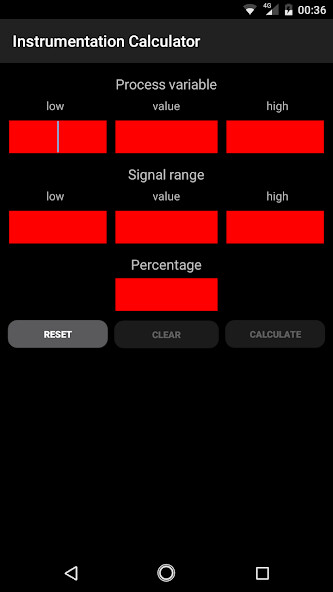
Run this app named Instrumentation Calculator using MyAndroid.
You can do it using our Android online emulator.
The Instrumentation Calculator App is very useful in day to day activities of an instrumentation engineer.
The Instrumentation Calculator App Key contributions:
Instrumentation Maintenance Activities
Field Transmitters Troubleshooting
Useful During Loop Checks
Useful During Logic Checks
Useful During Commissioning of a Plant
DCS & Field Reading mismatch calculations
Instrument Main cable Faults
Cable Voltage/Current Drops due to Resistance
DCS/ESD/PLC Analog input / Analog output 4-20 mA Calculations etc.
The Instrumentation Calculator App Functions as follows :
Calculate 4-20 mA Current from Process Variable, LRV & URV
Calculate Process Variable from 4-20 mA, LRV & URV
Calculate 0-100 % Percentage from 4-20 mA Current
Calculate 4-20 mA Current from 0-100% Percentage
Calculate 0-100 % Percentage from Process Variable
Calculate Process Variable from 0-100 % Percentage
Note: Process Variable, LRV & URV units must be same.
Support Our Instrumentation Calculator App: Like it, Share it, Give Comments & Encourage us.
How to Use Instrumentation Calculator App:
1.
Enter the Lower Range Value (LRV) of the Field Transmitter.
(Minimum Value of the Transmitter Range)
2.
Enter the Upper Range Value (URV) of the Field Transmitter.
(Maximum Value of the Transmitter Range)
3.
Select the Input type i.e.
any one of the list - Process variable, 4-20 mA Current & Percentage.
(Say you want to calculate the mA current output from Process Variable then Select Input as Process variable.)
4.
Enter the Input Value depending on the above selection.
(Say you selected the Process Variable in above selection list then enter the Process Variable (PV) Value.)
5.
Select the required Output type in the drop down list.
(Say you are calculating the mA current from Process Variable, So output type is 4-20 mA.)
6.
Press Calculate button & the result is shown below the button.
EXAMPLE:
A Temperature Transmitter having a range of 0 to 150 Deg C and showing a Value of 125 Deg C in the field.
Calculate equivalent 4-20 mA Current output.
Simply from the question, we need to calculate 4-20 mA from the Process Variable
Requirement
Select Input type = Process Variable
Select Output type = 4-20 mA
Enter the following data in the app
LRV = 0 Deg C
URV = 150 Deg C
Process Variable (PV) = 125 Deg C
Note: LRV, URV, Process Variable units must be same & not required to enter in the app.
Press Calculate & Result shown below the calculate button
Result = 17.33 mA
That's it, Very Simple to use.
Support Our Instrumentation Calculator App: Like it, Share it, Give Comments & Encourage us.
The Instrumentation Calculator App Key contributions:
Instrumentation Maintenance Activities
Field Transmitters Troubleshooting
Useful During Loop Checks
Useful During Logic Checks
Useful During Commissioning of a Plant
DCS & Field Reading mismatch calculations
Instrument Main cable Faults
Cable Voltage/Current Drops due to Resistance
DCS/ESD/PLC Analog input / Analog output 4-20 mA Calculations etc.
The Instrumentation Calculator App Functions as follows :
Calculate 4-20 mA Current from Process Variable, LRV & URV
Calculate Process Variable from 4-20 mA, LRV & URV
Calculate 0-100 % Percentage from 4-20 mA Current
Calculate 4-20 mA Current from 0-100% Percentage
Calculate 0-100 % Percentage from Process Variable
Calculate Process Variable from 0-100 % Percentage
Note: Process Variable, LRV & URV units must be same.
Support Our Instrumentation Calculator App: Like it, Share it, Give Comments & Encourage us.
How to Use Instrumentation Calculator App:
1.
Enter the Lower Range Value (LRV) of the Field Transmitter.
(Minimum Value of the Transmitter Range)
2.
Enter the Upper Range Value (URV) of the Field Transmitter.
(Maximum Value of the Transmitter Range)
3.
Select the Input type i.e.
any one of the list - Process variable, 4-20 mA Current & Percentage.
(Say you want to calculate the mA current output from Process Variable then Select Input as Process variable.)
4.
Enter the Input Value depending on the above selection.
(Say you selected the Process Variable in above selection list then enter the Process Variable (PV) Value.)
5.
Select the required Output type in the drop down list.
(Say you are calculating the mA current from Process Variable, So output type is 4-20 mA.)
6.
Press Calculate button & the result is shown below the button.
EXAMPLE:
A Temperature Transmitter having a range of 0 to 150 Deg C and showing a Value of 125 Deg C in the field.
Calculate equivalent 4-20 mA Current output.
Simply from the question, we need to calculate 4-20 mA from the Process Variable
Requirement
Select Input type = Process Variable
Select Output type = 4-20 mA
Enter the following data in the app
LRV = 0 Deg C
URV = 150 Deg C
Process Variable (PV) = 125 Deg C
Note: LRV, URV, Process Variable units must be same & not required to enter in the app.
Press Calculate & Result shown below the calculate button
Result = 17.33 mA
That's it, Very Simple to use.
Support Our Instrumentation Calculator App: Like it, Share it, Give Comments & Encourage us.
MyAndroid is not a downloader online for Instrumentation Calculator. It only allows to test online Instrumentation Calculator with apkid com.instrumentationcalculator. MyAndroid provides the official Google Play Store to run Instrumentation Calculator online.
