
We provide Productivity Keyboard online (apkid: com.idelan2.inputmethod.latin) in order to run this application in our online Android emulator.
Description:
Run this app named Productivity Keyboard using MyAndroid.
You can do it using our Android online emulator.
No matter how you type, this keyboard has something to help you save time:
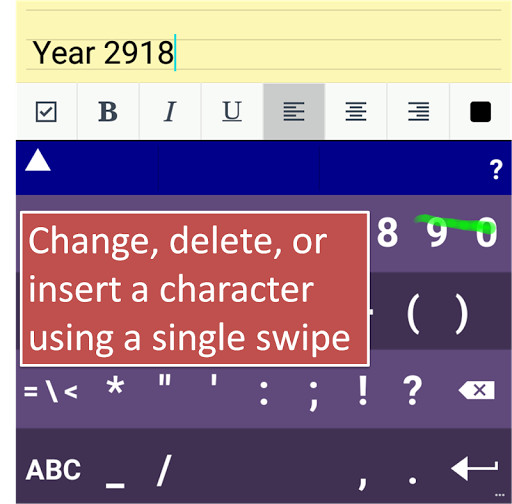
1- FlashEdit: Correct a single typing error by simply dragging a finger on the keyboard.
2- FlashPeek: Swipe up from the space bar to take a peek at news and celebrities.
3- FlashLaunch: Open apps and search installed apps directly from the keyboard.
4- FlashTheme: Double swipe to change the keyboard background and the keys' background.
5- NexTwo: Type faster by entering two words at a time.
Less typing and less proof-reading.
6- TypeOne: Type even faster by entering the entire sentence using TypeOne predictive text.
FlashEdit video: https: //youtu.be/xlFxvo59Re4
FlashLaunch video: https: //youtu.be/-GI5hrAY__0
FlashTheme video: https: //youtu.be/DqGvAda7VZw
1- FlashEdit: Correct a single typing error by simply dragging a finger on the keyboard.
2- FlashPeek: Swipe up from the space bar to take a peek at news and celebrities.
3- FlashLaunch: Open apps and search installed apps directly from the keyboard.
4- FlashTheme: Double swipe to change the keyboard background and the keys' background.
5- NexTwo: Type faster by entering two words at a time.
Less typing and less proof-reading.
6- TypeOne: Type even faster by entering the entire sentence using TypeOne predictive text.
FlashEdit video: https: //youtu.be/xlFxvo59Re4
FlashLaunch video: https: //youtu.be/-GI5hrAY__0
FlashTheme video: https: //youtu.be/DqGvAda7VZw
MyAndroid is not a downloader online for Productivity Keyboard. It only allows to test online Productivity Keyboard with apkid com.idelan2.inputmethod.latin. MyAndroid provides the official Google Play Store to run Productivity Keyboard online.
