

We provide Magnifier-Magnifying Glass online (apkid: com.hnslate.magnifyingglass.objectviewer.ocrsccaner) in order to run this application in our online Android emulator.
Description:
Run this app named Magnifier-Magnifying Glass using MyAndroid.
You can do it using our Android online emulator.
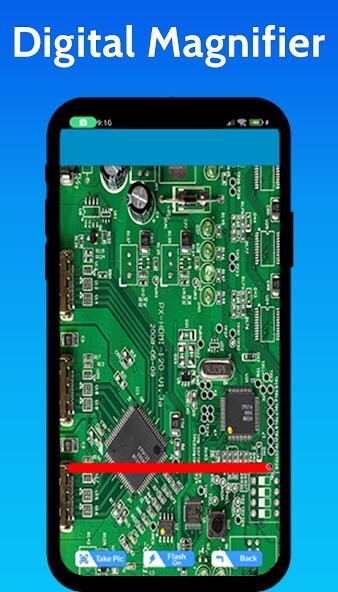
Magnifying Glass or Magnifier or Magnifier is an app that allows you to use your phone as a smart magnifying glass.
Magnifying Glass app use your phone camera to magnify text, images or whatever comes to mind.
The additional feature of magnifying glass app is a Flashlight.
You have no need of extra flashlight app for flashlight.
By using magnifying glass app visually you can rotate images and text also color of text and images.
You can take picture of magnify item by default save in your phone.
Makeup shave mirror:
The other unique feature of this app is to use this app as a mirror to magnify your face for makeup or shave just need to click on mirror icon and open it or flip the camera view and you can also save the photo for further use or share.
OCR Scanner:
The other important feature that is now a days commonly use is image to text gat feature and copy it this app provides this live view text gat from a page of book or other view that contain text your related text extracted and you can easily share it to others on social media and also copy it.
Crop Image View:
This other attractive feature of this magnifying glass app is cropping the large size image for further use.
You need to just open the image in app via crop view and scale it according to cropping view and save it for further use you can also share it on social media for further use.
Features:
Zooming View Feature
Pinch to Zoom In/Out with seek bar
High magnifying control: from 1x to maximum camera of device
Flash light view during zooming view
Restriction view and zoom Feature
Save shorts and then view and wide
Easy to use User approachable GUI
Save photos with this magnified
Image crop feature
Image zoom view
Orc scanner get text from zooming view
Magnifying Glass app use your phone camera to magnify text, images or whatever comes to mind.
The additional feature of magnifying glass app is a Flashlight.
You have no need of extra flashlight app for flashlight.
By using magnifying glass app visually you can rotate images and text also color of text and images.
You can take picture of magnify item by default save in your phone.
Makeup shave mirror:
The other unique feature of this app is to use this app as a mirror to magnify your face for makeup or shave just need to click on mirror icon and open it or flip the camera view and you can also save the photo for further use or share.
OCR Scanner:
The other important feature that is now a days commonly use is image to text gat feature and copy it this app provides this live view text gat from a page of book or other view that contain text your related text extracted and you can easily share it to others on social media and also copy it.
Crop Image View:
This other attractive feature of this magnifying glass app is cropping the large size image for further use.
You need to just open the image in app via crop view and scale it according to cropping view and save it for further use you can also share it on social media for further use.
Features:
Zooming View Feature
Pinch to Zoom In/Out with seek bar
High magnifying control: from 1x to maximum camera of device
Flash light view during zooming view
Restriction view and zoom Feature
Save shorts and then view and wide
Easy to use User approachable GUI
Save photos with this magnified
Image crop feature
Image zoom view
Orc scanner get text from zooming view
MyAndroid is not a downloader online for Magnifier-Magnifying Glass. It only allows to test online Magnifier-Magnifying Glass with apkid com.hnslate.magnifyingglass.objectviewer.ocrsccaner. MyAndroid provides the official Google Play Store to run Magnifier-Magnifying Glass online.
