
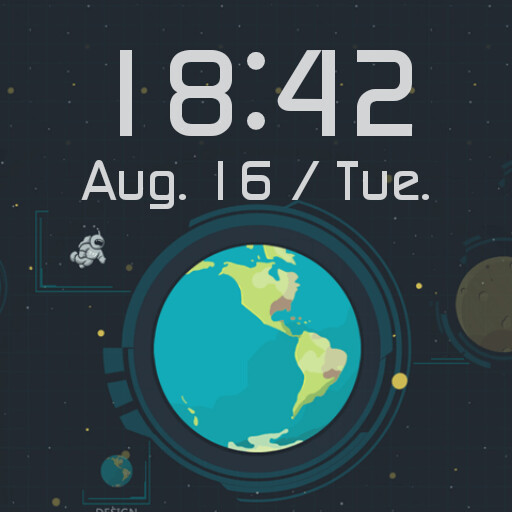
We provide Nine Planets Watch Face online (apkid: com.glgjing.galaxy) in order to run this application in our online Android emulator.
Description:
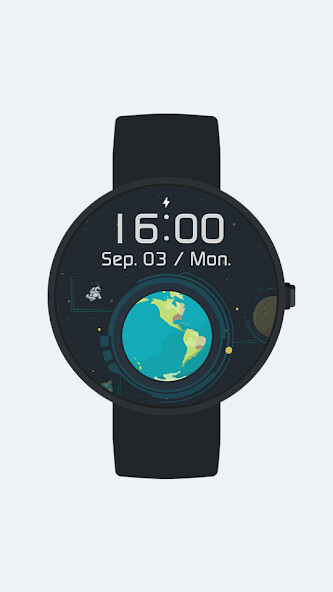
Run this app named Nine Planets Watch Face using MyAndroid.
You can do it using our Android online emulator.
Nine Planets watch face for Android Wear smartwatches: Huawei Watch, Sony SmartWatch, Motorola Moto 360, Tag Heuer, Fossil Q, LG G Watch, Asus ZenWatch etc.
Stylish & Elegant.
This watchface is compatible with all Android Wear watches.
Nine Planets Watch Face for all amateur astronomers!
FEATURES of Nine Planets Watch Face - complete guide:
Watchface compatible with all Android Wear Watches:
* Motorola Moto 360,
* Motorola Moto 360 2nd,
* LG G Watch R,
* LG G Watch,
* LG Urban,
* LG Urban 2nd,
* Sony SmartWatch 3,
* Samsung Gear Live,
* Huawei Watch,
* Asus ZenWatch,
etc.
Day of the week
Day of the month
Ambient mode
Several themes.
There is several different background themes in watch face:
* Earth
* Moon
* Jupiter
* Mercury
* Neptune
* Pluto
* Saturn
* Uranus
* Venus
* Mars
All themes are full HD quality.
How to use Nine Planets Watch Face for Android Wear smartwatches:
1.
Once you install the app, the Nine Planets watchface will be automatically transferred to your watch.
This may take a few minutes.
You may have to wait for a while.
2.
From smartwatches: Long press your watchface and select the one that you have installed.
From mobile: Run the "Android Wear" app and tap "More" button in the watchface section.
3.
Enjoy your new Nine Planets Watch Face for Android Wear!
More watchfaces:
Visit our exclusive collection on the Play Store : https: //play.google.com/store/apps/dev?id=8033310955272052059
Stylish & Elegant.
This watchface is compatible with all Android Wear watches.
Nine Planets Watch Face for all amateur astronomers!
FEATURES of Nine Planets Watch Face - complete guide:
Watchface compatible with all Android Wear Watches:
* Motorola Moto 360,
* Motorola Moto 360 2nd,
* LG G Watch R,
* LG G Watch,
* LG Urban,
* LG Urban 2nd,
* Sony SmartWatch 3,
* Samsung Gear Live,
* Huawei Watch,
* Asus ZenWatch,
etc.
Day of the week
Day of the month
Ambient mode
Several themes.
There is several different background themes in watch face:
* Earth
* Moon
* Jupiter
* Mercury
* Neptune
* Pluto
* Saturn
* Uranus
* Venus
* Mars
All themes are full HD quality.
How to use Nine Planets Watch Face for Android Wear smartwatches:
1.
Once you install the app, the Nine Planets watchface will be automatically transferred to your watch.
This may take a few minutes.
You may have to wait for a while.
2.
From smartwatches: Long press your watchface and select the one that you have installed.
From mobile: Run the "Android Wear" app and tap "More" button in the watchface section.
3.
Enjoy your new Nine Planets Watch Face for Android Wear!
More watchfaces:
Visit our exclusive collection on the Play Store : https: //play.google.com/store/apps/dev?id=8033310955272052059
MyAndroid is not a downloader online for Nine Planets Watch Face. It only allows to test online Nine Planets Watch Face with apkid com.glgjing.galaxy. MyAndroid provides the official Google Play Store to run Nine Planets Watch Face online.
