

We provide Gestro online (apkid: com.github.facecommands) in order to run this application in our online Android emulator.
Description:
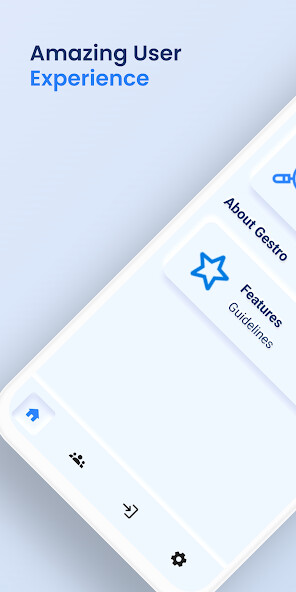
Run this app named Gestro using MyAndroid.
You can do it using our Android online emulator.
Gestro: Let your Gestures directs your phone.
Entertainment at your Fingertips.
Features :
- Blink To Scroll Feature:
Have fun and ease in scrolling your phone without touching but by just Blinking your Eye.
By default, blinking with the left eye will scroll down and blinking with the right eyes will scroll up.
You can adjust the functionality according to your convenience.
Default Settings :
- Blink Left Eye -> Scroll Up
- Blink Right Eye -> Scroll Down
You can adjust the functionality according to your convenience
Gestro Video Player :
Let your Eyes directs the Video Player to play and pause the video.
It Plays Video only when Eyes are open and vice versa.
This feature is in Testing Mode.
Let your Eyes directs the Video Player to play and pause the video.
- Eyes Close -> Video Pauses
- Eyes open -> Video Resumes
- Away from Eyes -> Video pauses
- Closer to Eyes -> Video Resumes
Note : This feature is in Testing Mode
We will handle everything for you, just Enable the features and Granting all the Permission for smooth functioning of Gestro App.
Permissions:
- Display over Other Apps Permission
- Accessibility Permission
- Camera Permission
As you have the app in your pocket then you do not have to worry about anything.
Gestro Family Waiting for you
For Any Queries :
Contact - [email protected]
Entertainment at your Fingertips.
Features :
- Blink To Scroll Feature:
Have fun and ease in scrolling your phone without touching but by just Blinking your Eye.
By default, blinking with the left eye will scroll down and blinking with the right eyes will scroll up.
You can adjust the functionality according to your convenience.
Default Settings :
- Blink Left Eye -> Scroll Up
- Blink Right Eye -> Scroll Down
You can adjust the functionality according to your convenience
Gestro Video Player :
Let your Eyes directs the Video Player to play and pause the video.
It Plays Video only when Eyes are open and vice versa.
This feature is in Testing Mode.
Let your Eyes directs the Video Player to play and pause the video.
- Eyes Close -> Video Pauses
- Eyes open -> Video Resumes
- Away from Eyes -> Video pauses
- Closer to Eyes -> Video Resumes
Note : This feature is in Testing Mode
We will handle everything for you, just Enable the features and Granting all the Permission for smooth functioning of Gestro App.
Permissions:
- Display over Other Apps Permission
- Accessibility Permission
- Camera Permission
As you have the app in your pocket then you do not have to worry about anything.
Gestro Family Waiting for you
For Any Queries :
Contact - [email protected]
MyAndroid is not a downloader online for Gestro. It only allows to test online Gestro with apkid com.github.facecommands. MyAndroid provides the official Google Play Store to run Gestro online.
