
We provide GPS Compass online (apkid: com.giannisj5.pointcompass) in order to run this application in our online Android emulator.
Description:
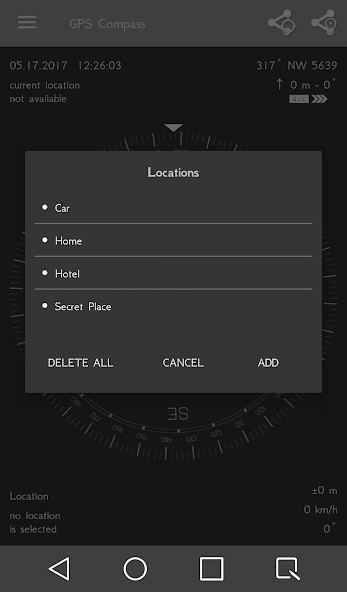
Run this app named GPS Compass using MyAndroid.
You can do it using our Android online emulator.
GPS Compass is both compass and GPS point direction app.
It can show you both magnetic and true North.
All directions are calculated considering the true North.
You can save as much locations as you want either by keyboard or by google maps.
You can save your parked car, your hotel, your mountain hut, your friend's house and many more.
Navigate to saved locations with ease as you are being provided with many information like direction, distance, speed, accuracy, altitude, current and destination coordinates in four different formats included and the Hellenic system HGRS87.
Furthermore you can export and import all the locations in kml file in your memory card for backup or for viewing the locations in Google Earth .
If you like you can share your location with friends via Facebook, Messenger, SMS, Twitter, Skype, Viber, WhatsApp Messenger, Hangouts, Gmail, Google+ and many more.
For accurate directions hold the phone in horizontal position (just like a real compass).
To calibrate the compass sensor rotate the device in all directions.
Permission needed for this app:
- Location - needed to show your real location on the map and on main screen
- Internet - needed to display the map
It can show you both magnetic and true North.
All directions are calculated considering the true North.
You can save as much locations as you want either by keyboard or by google maps.
You can save your parked car, your hotel, your mountain hut, your friend's house and many more.
Navigate to saved locations with ease as you are being provided with many information like direction, distance, speed, accuracy, altitude, current and destination coordinates in four different formats included and the Hellenic system HGRS87.
Furthermore you can export and import all the locations in kml file in your memory card for backup or for viewing the locations in Google Earth .
If you like you can share your location with friends via Facebook, Messenger, SMS, Twitter, Skype, Viber, WhatsApp Messenger, Hangouts, Gmail, Google+ and many more.
For accurate directions hold the phone in horizontal position (just like a real compass).
To calibrate the compass sensor rotate the device in all directions.
Permission needed for this app:
- Location - needed to show your real location on the map and on main screen
- Internet - needed to display the map
MyAndroid is not a downloader online for GPS Compass. It only allows to test online GPS Compass with apkid com.giannisj5.pointcompass. MyAndroid provides the official Google Play Store to run GPS Compass online.
