

We provide Simple Score Tracker online (apkid: com.geno.scoretracker) in order to run this application in our online Android emulator.
Description:
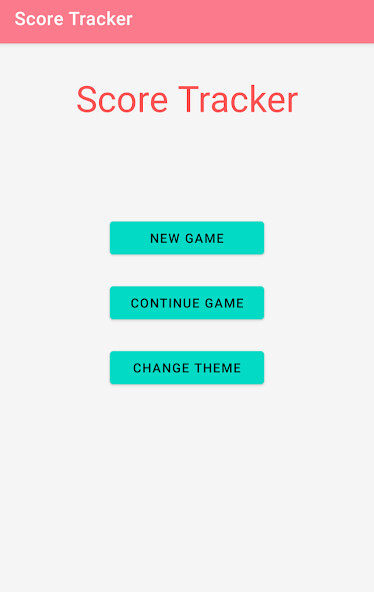
Run this app named Simple Score Tracker using MyAndroid.
You can do it using our Android online emulator.
Users can create a new game or continue an already saved game.
Users can also change the theme of the app.
Currently we support 3 themes.
When creating a new game, users can add up-to 15 players in the "Add Players" screen and update Settings like highlighting player's turn each round, reverse scoring (user with lower score wins), maximum score etc.,
On starting a new game, users can add scores for the players for a round and as the scores are entered, users will be able to see the running score for each player as well.
This screen comes with the below menu items
* Settings - Users will be able to update the settings like max score, reverse scoring etc.,
* Undo - Users will be able to undo all the scores entered for this round.
* Show Scoreboard - Users will be able to see the scoreboard which displays the scores of all players for each round along with the totals
* Save Game - Users will be able to save the current game and exit.
The saved game will be available for the user to choose from the "Continue Game" button in the main screen
* End Game - Users will be able end the game and display the leader board
* Next - This will progress the game to the next round
Hope you enjoy using the Simple Score Tracker
Users can also change the theme of the app.
Currently we support 3 themes.
When creating a new game, users can add up-to 15 players in the "Add Players" screen and update Settings like highlighting player's turn each round, reverse scoring (user with lower score wins), maximum score etc.,
On starting a new game, users can add scores for the players for a round and as the scores are entered, users will be able to see the running score for each player as well.
This screen comes with the below menu items
* Settings - Users will be able to update the settings like max score, reverse scoring etc.,
* Undo - Users will be able to undo all the scores entered for this round.
* Show Scoreboard - Users will be able to see the scoreboard which displays the scores of all players for each round along with the totals
* Save Game - Users will be able to save the current game and exit.
The saved game will be available for the user to choose from the "Continue Game" button in the main screen
* End Game - Users will be able end the game and display the leader board
* Next - This will progress the game to the next round
Hope you enjoy using the Simple Score Tracker
MyAndroid is not a downloader online for Simple Score Tracker. It only allows to test online Simple Score Tracker with apkid com.geno.scoretracker. MyAndroid provides the official Google Play Store to run Simple Score Tracker online.
