
We provide Genesis Digital Key (for supported vehicles) online (apkid: com.genesisusa.genesis.digitalcarkey) in order to run this application in our online Android emulator.
Description:
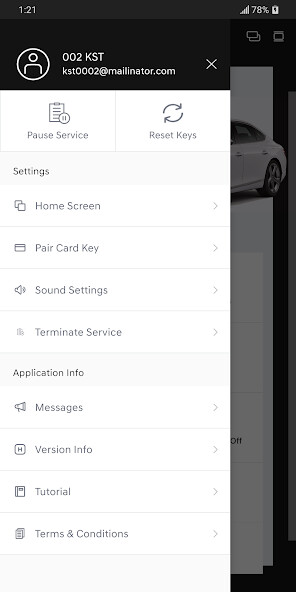
Run this app named Genesis Digital Key (for supported vehicles) using MyAndroid.
You can do it using our Android online emulator.
Introducing Genesis Digital Key for supported 2021+ Genesis models! Using Genesis Digital Key with a Digital Key-enabled Genesis vehicle, you can quickly access and control your vehicle using your smartphone.
Genesis Digital Key also allows you to easily create, share and manage digital keys to give friends or family access to your vehicle.
With Genesis Digital Key, you can:
*Lock, unlock and start your Genesis (requires NFC)*
Using your smartphone, simply tap your phone on the door handle to lock or unlock your vehicle.
When youre ready to drive, just place your smartphone on the wireless charging pad to start your vehicle.
*Remotely control your Genesis using Bluetooth*
Genesis Digital Key lets you remotely control your vehicle from a distance using Bluetooth technology.
Use the buttons in the app to remotely start/stop your engine, lock/unlock your doors, turn panic mode on/off or open your trunk.
To remotely park your Genesis, just tap the RSPA icon to easily pull in and out of a parking space using Remote Smart Parking Assist (RSPA).
*Share and manage digital keys*
When you want to give someone access to your vehicle, easily create and send them a digital key.
Once the invite is accepted, they will be able to use the Genesis Digital Key app to access or control your vehicle based on the permissions and time period youve allowed.
Also pause your own digital keys or delete shared keys using the app or on MyGenesis.com.
Genesis Digital Key also allows you to easily create, share and manage digital keys to give friends or family access to your vehicle.
With Genesis Digital Key, you can:
*Lock, unlock and start your Genesis (requires NFC)*
Using your smartphone, simply tap your phone on the door handle to lock or unlock your vehicle.
When youre ready to drive, just place your smartphone on the wireless charging pad to start your vehicle.
*Remotely control your Genesis using Bluetooth*
Genesis Digital Key lets you remotely control your vehicle from a distance using Bluetooth technology.
Use the buttons in the app to remotely start/stop your engine, lock/unlock your doors, turn panic mode on/off or open your trunk.
To remotely park your Genesis, just tap the RSPA icon to easily pull in and out of a parking space using Remote Smart Parking Assist (RSPA).
*Share and manage digital keys*
When you want to give someone access to your vehicle, easily create and send them a digital key.
Once the invite is accepted, they will be able to use the Genesis Digital Key app to access or control your vehicle based on the permissions and time period youve allowed.
Also pause your own digital keys or delete shared keys using the app or on MyGenesis.com.
MyAndroid is not a downloader online for Genesis Digital Key (for supported vehicles). It only allows to test online Genesis Digital Key (for supported vehicles) with apkid com.genesisusa.genesis.digitalcarkey. MyAndroid provides the official Google Play Store to run Genesis Digital Key (for supported vehicles) online.
