
We provide QR Code Scanner & Generator 2021 online (apkid: com.gammaapps.qrcode.scanner.generator) in order to run this application in our online Android emulator.
Description:
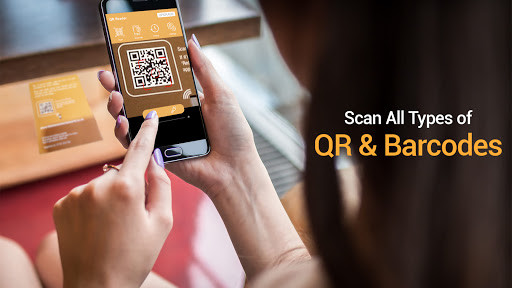
Run this app named QR Code Scanner & Generator 2021 using MyAndroid.
You can do it using our Android online emulator.
QR Code Scanner & Generator 2021 is a very easy simple and useful application which helps you to scan any QR code and Bar-code and generate QR Code & own custom Bar-code image.
you can use this bar code and QR Code image for advertisement, to share information, to become a part of modern world.Qr code reader recognizes all the barcodes and shows you the pricing
,coupon and tickets etc as well.
Barcode scanning requires device with clear camera and scanning devices as well.the Qr code can detect any kind of barcode and qr code as well barcode scanning
requires a newer device in order to work reliably.Camera on older mobile phones and smart phones requires focus for barcode scanning.
Its very easy to use, no need to press any buttons or adjust the zoom, just open it and point to the QR code, it will auto recognize, scan and decode the QR code.
When scanning a Qr code, if the code contains a website URL, you will automatically be taken to the site.
If the code just contains text, you'll immediately see it.
For other formats such as phone numbers,
email addresses, or contact info, you will be prompted to take the appropriate action.
How to use:
* Open the QR code scanner
* Point the camera to the QR code/bar-code
* Auto recognize, scan and decode
* Get results and relevant options
You Can Create Following QR CODES -
* Profile QR Code
* Business Profile
* Contact
* Message
* Wi-Fi
* address
* Website
* Company Profile
* Free Text
you can use this bar code and QR Code image for advertisement, to share information, to become a part of modern world.Qr code reader recognizes all the barcodes and shows you the pricing
,coupon and tickets etc as well.
Barcode scanning requires device with clear camera and scanning devices as well.the Qr code can detect any kind of barcode and qr code as well barcode scanning
requires a newer device in order to work reliably.Camera on older mobile phones and smart phones requires focus for barcode scanning.
Its very easy to use, no need to press any buttons or adjust the zoom, just open it and point to the QR code, it will auto recognize, scan and decode the QR code.
When scanning a Qr code, if the code contains a website URL, you will automatically be taken to the site.
If the code just contains text, you'll immediately see it.
For other formats such as phone numbers,
email addresses, or contact info, you will be prompted to take the appropriate action.
How to use:
* Open the QR code scanner
* Point the camera to the QR code/bar-code
* Auto recognize, scan and decode
* Get results and relevant options
You Can Create Following QR CODES -
* Profile QR Code
* Business Profile
* Contact
* Message
* Wi-Fi
* address
* Website
* Company Profile
* Free Text
MyAndroid is not a downloader online for QR Code Scanner & Generator 2021. It only allows to test online QR Code Scanner & Generator 2021 with apkid com.gammaapps.qrcode.scanner.generator. MyAndroid provides the official Google Play Store to run QR Code Scanner & Generator 2021 online.
